Make a video from your pictures
You get: Your pictures and your sound become one video.
Open it first. Then follow the steps below.
Open it in the AI Studio- 1
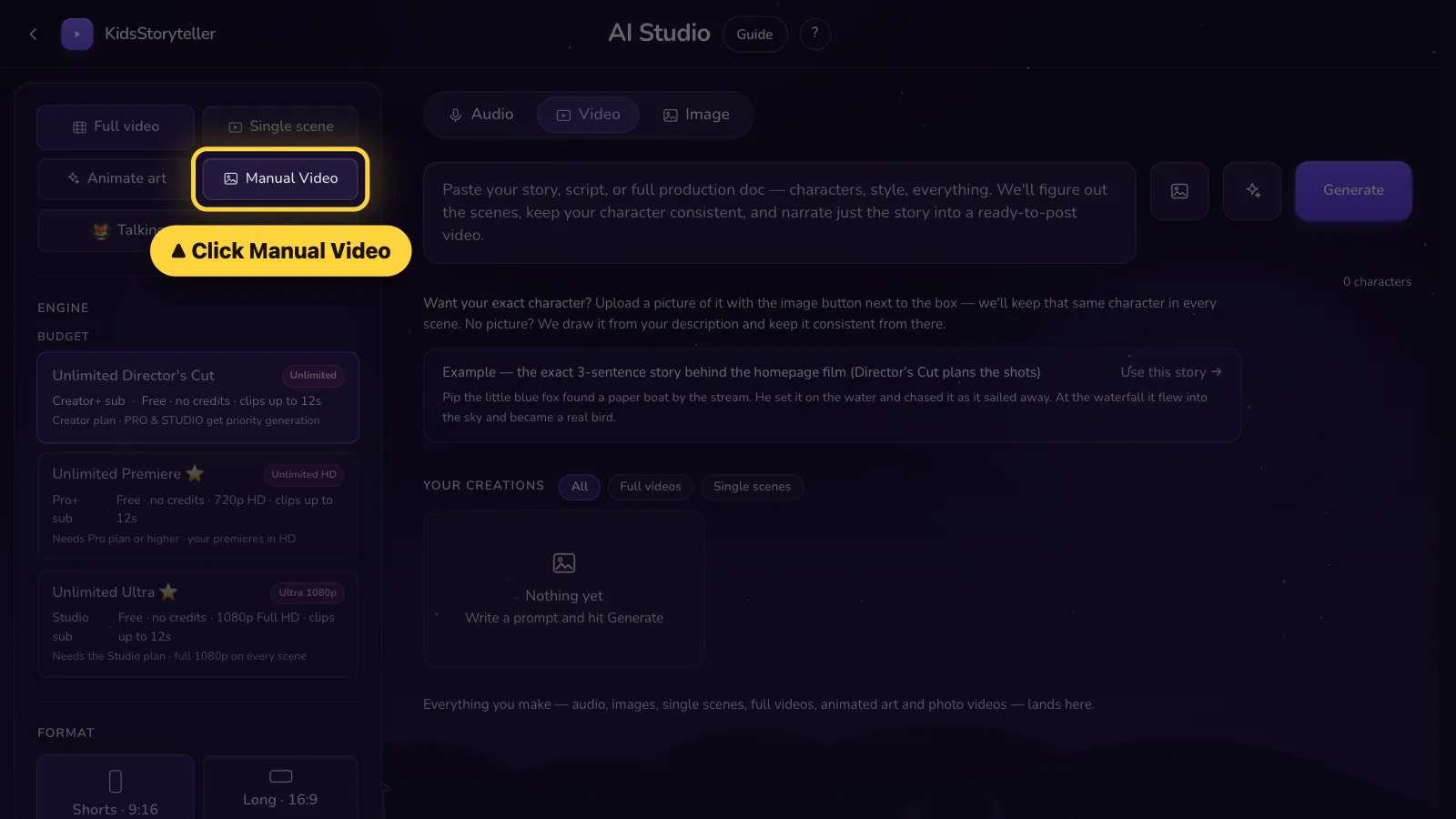
Step 1 of 6
Click Manual Video on the left.Tap Settings. Tap Manual Video.
- 2
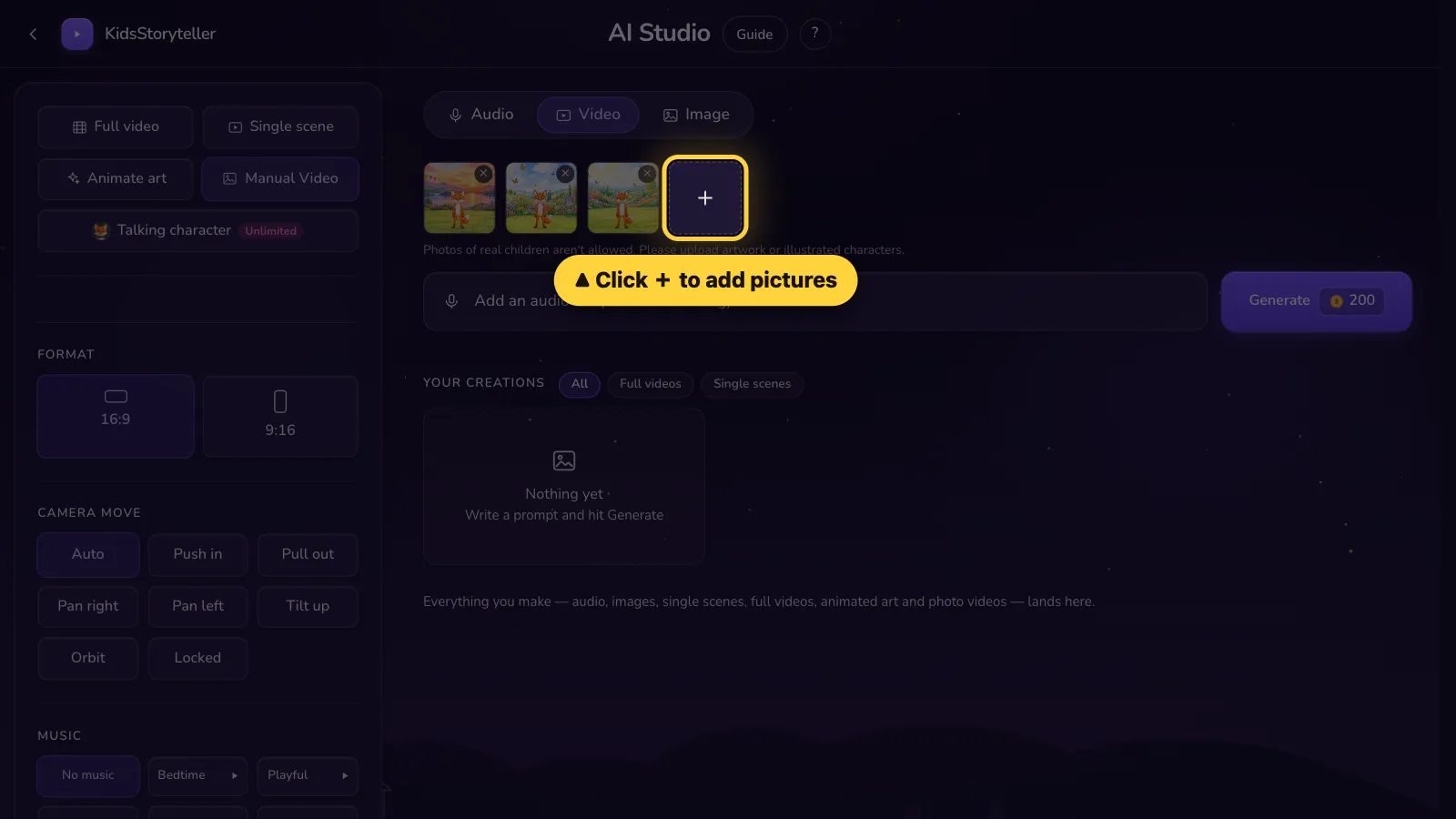
Step 2 of 6
Click + and pick your pictures (up to 30).Tap + and pick your pictures (up to 30).
- 3
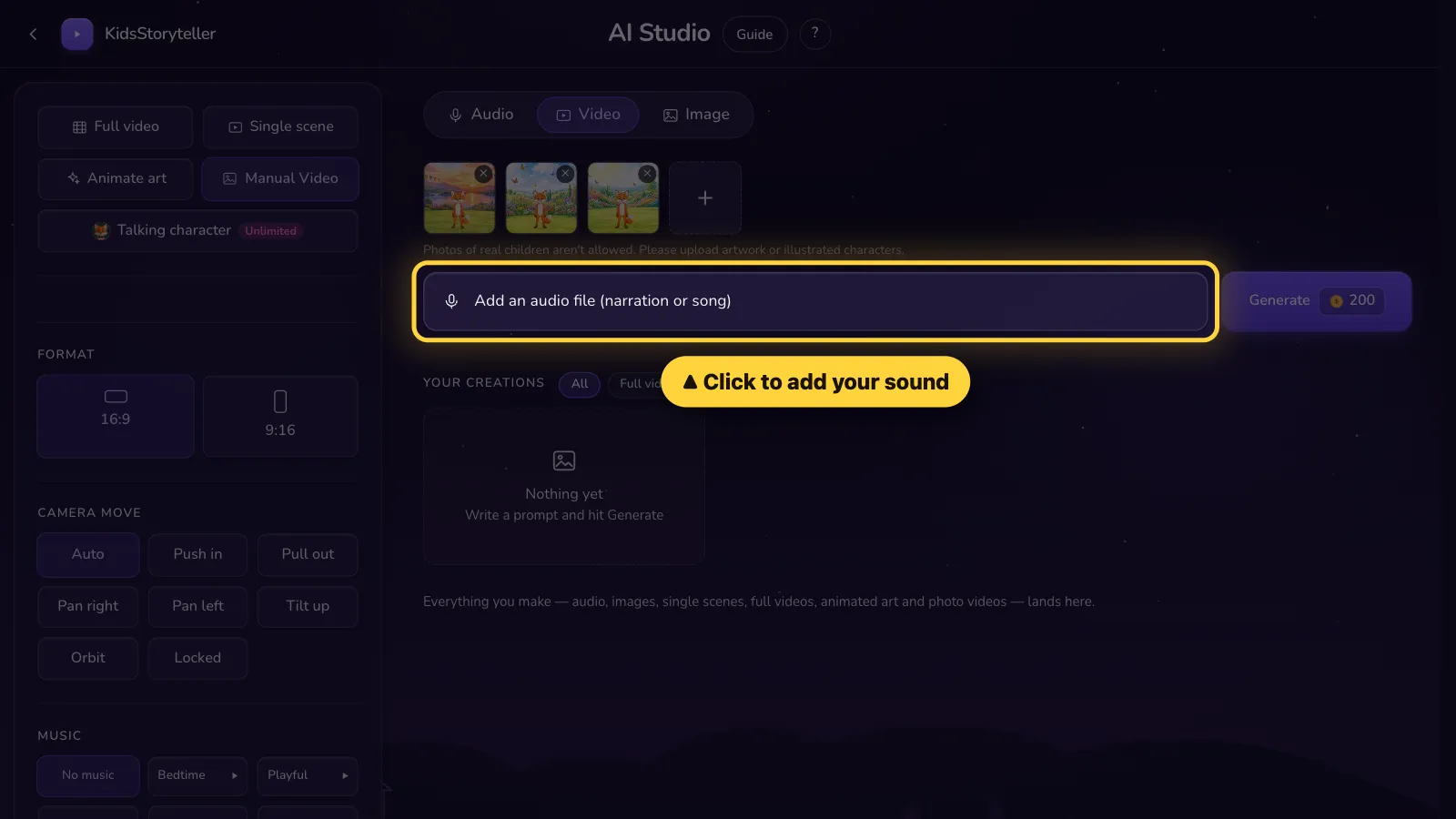
Step 3 of 6
Click here and pick your sound — your voice or a song.Tap here and pick your sound — your voice or a song.
- 4
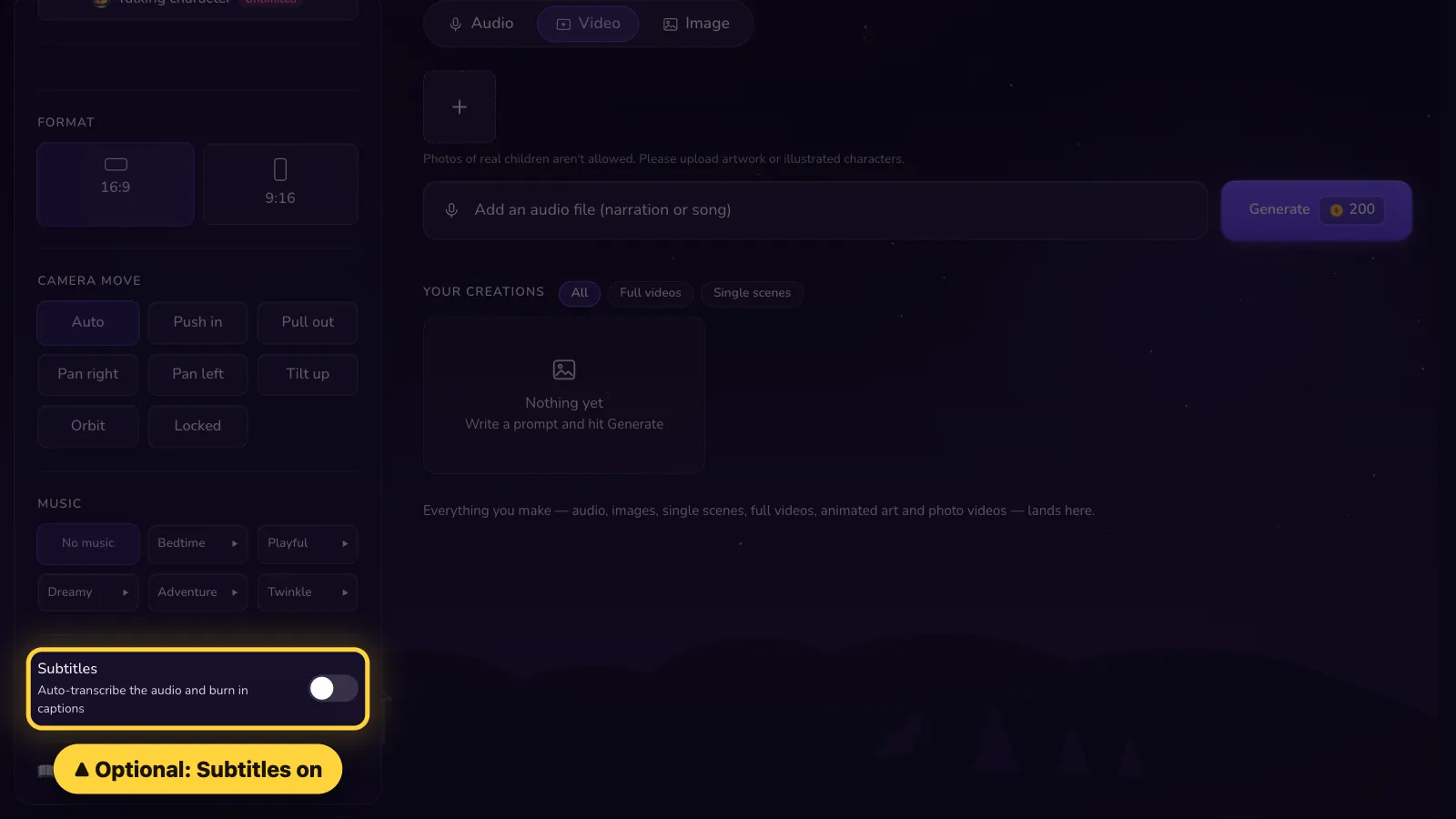
Step 4 of 6
Optional: turn on Subtitles to show the words on screen.Optional: in Settings, turn on Subtitles to show the words.
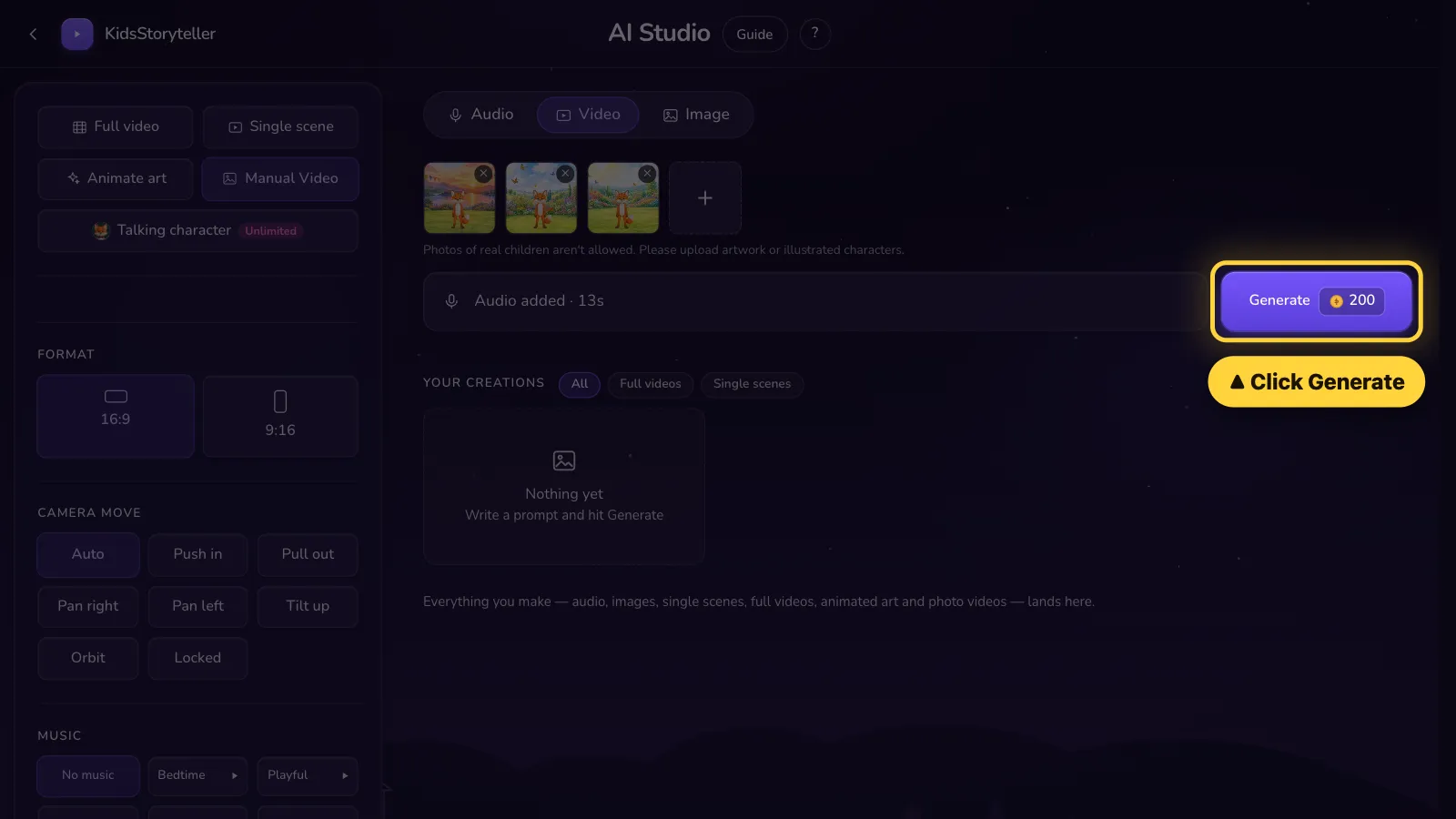
- 5
Step 5 of 6
Click Generate.Tap Generate.
- 6
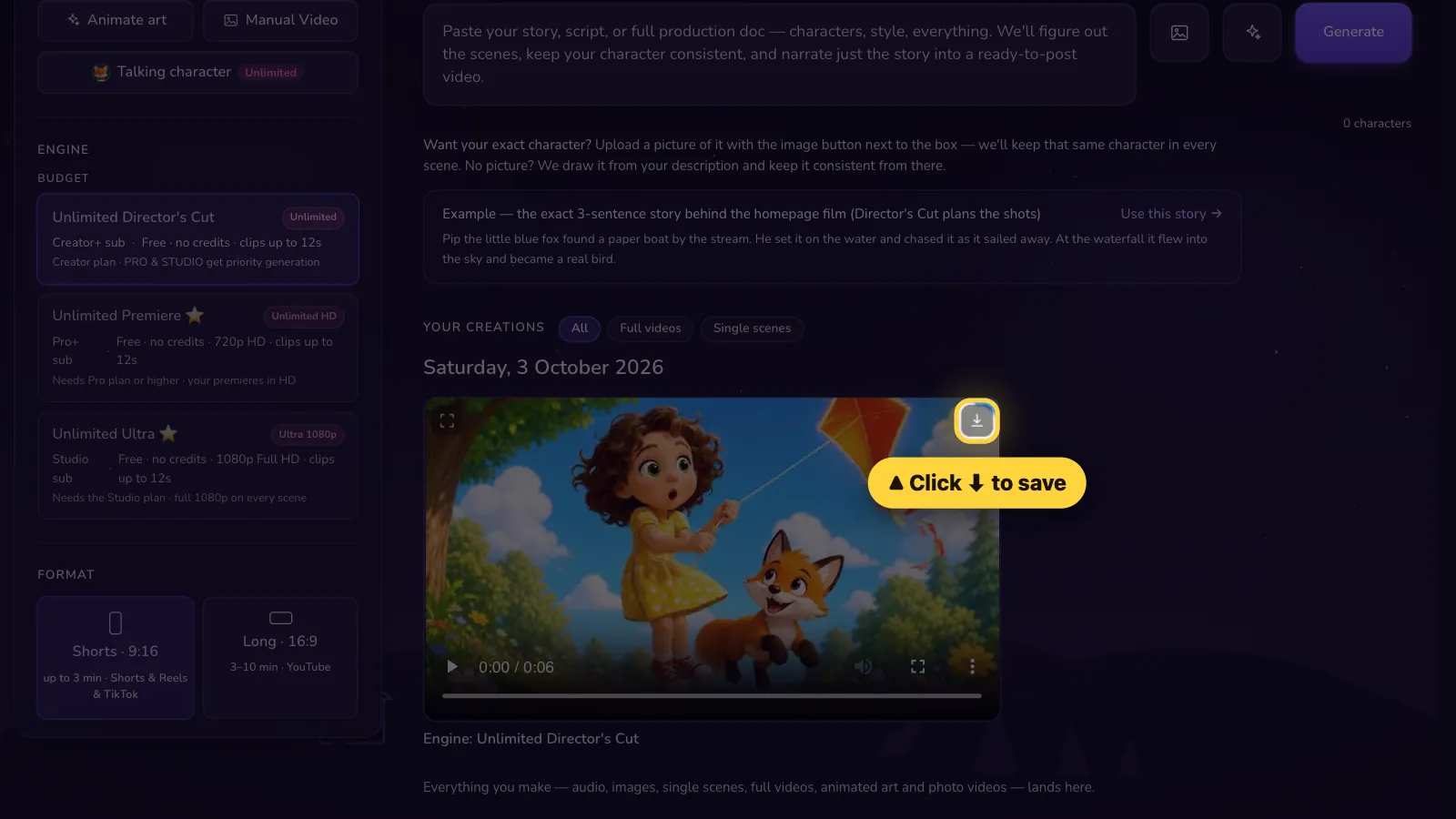
Step 6 of 6
Done! Click ⬇ to save it.Done! Tap ⬇ to save it.


That's it! 🎉
Open it in the AI Studio