Make your drawing move
You get: Your own picture comes to life. It can even say something.
Open it first. Then follow the steps below.
Open it in the AI Studio- 1
Step 1 of 6
Click Animate art on the left.Tap Settings. Tap Animate art.
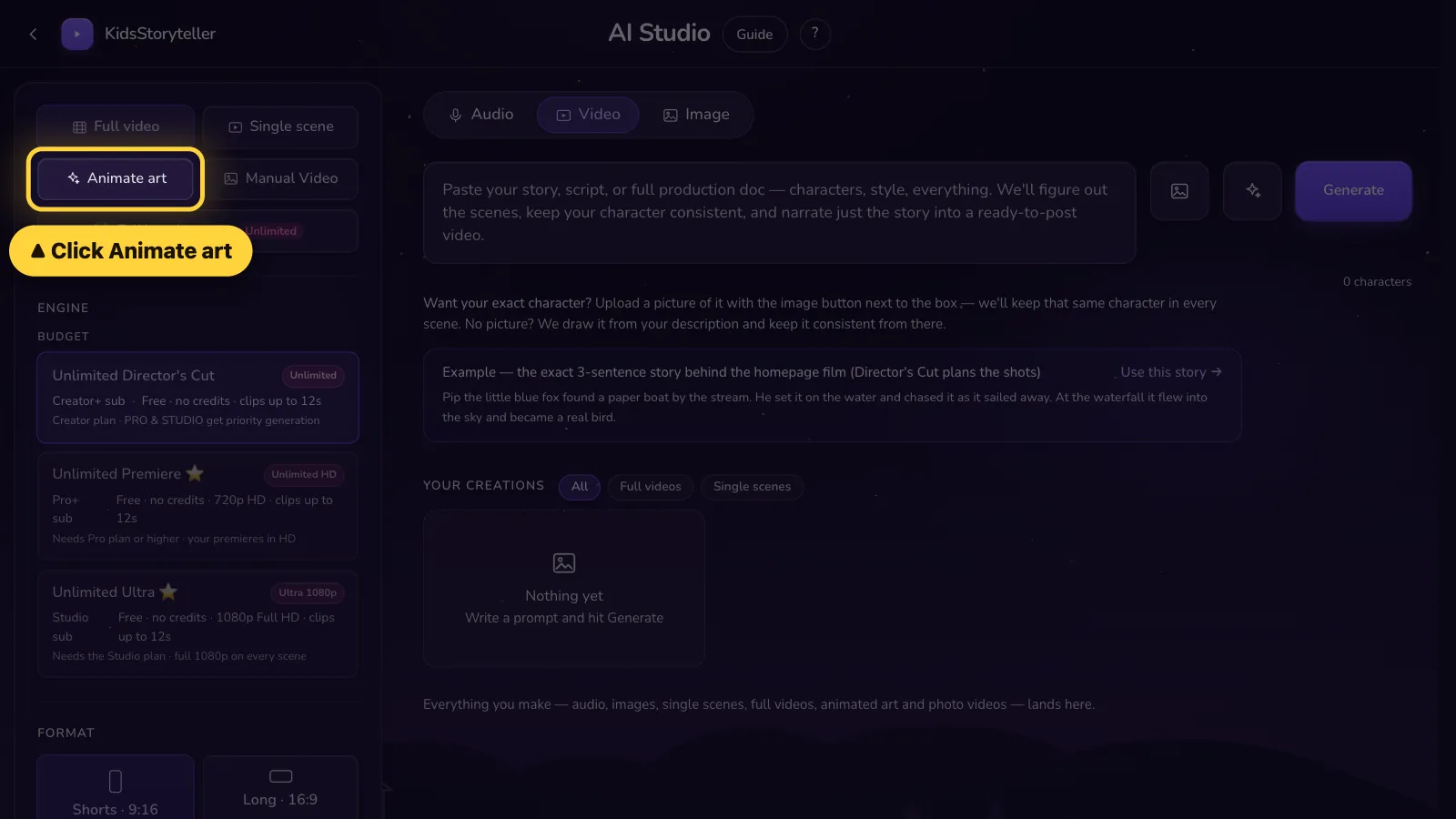
- 2
Step 2 of 6
Click the square. Pick your drawing.Tap the square. Pick your drawing.

- 3
Step 3 of 6
Write how it moves.Write how it moves.
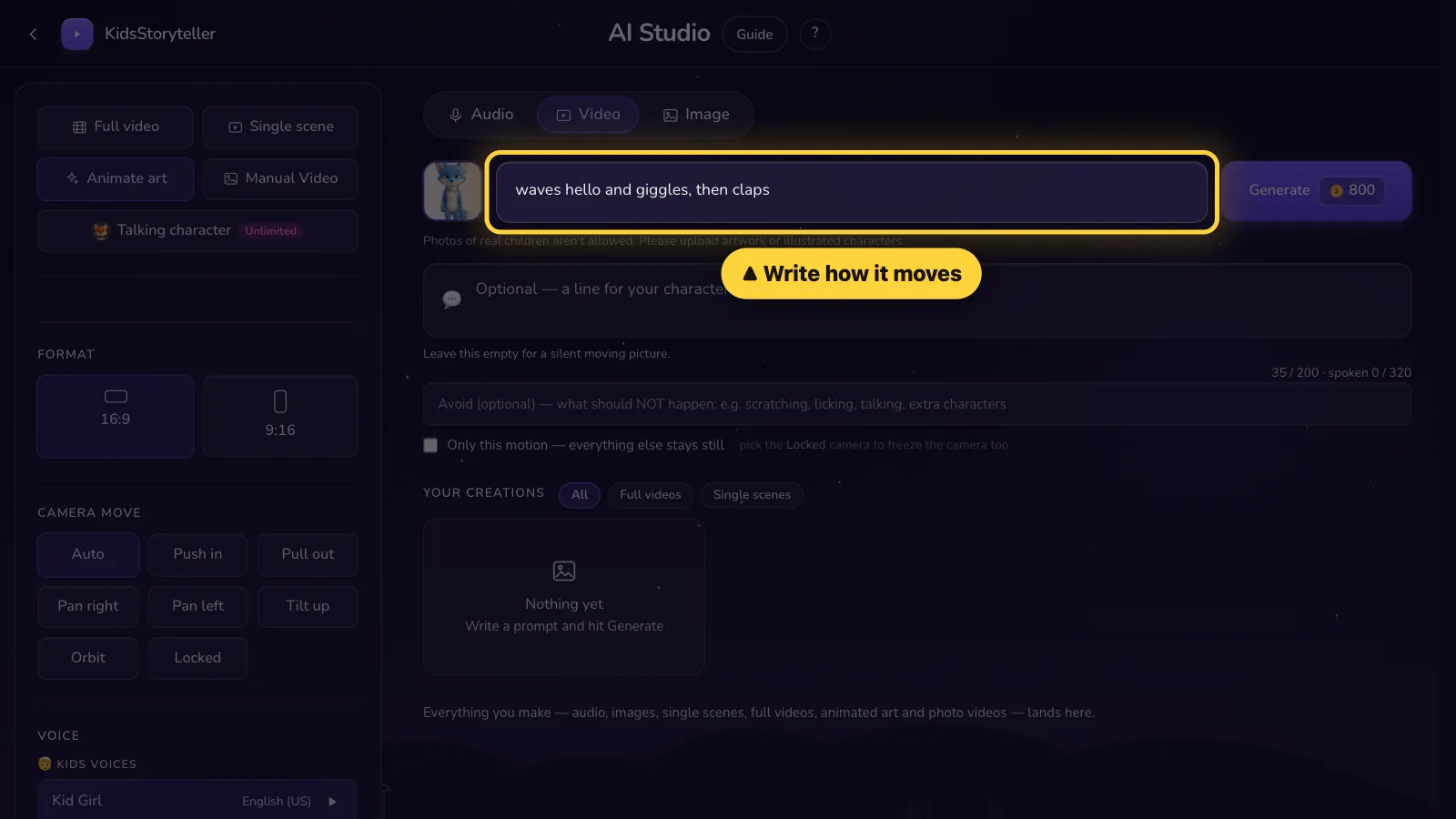
- 4
Step 4 of 6
Optional: write what it says. Leave it empty for no voice.Optional: write what it says. Leave it empty for no voice.

- 5
Step 5 of 6
Click Generate.Tap Generate.

- 6
Step 6 of 6
Done! Click ⬇ to save it.Done! Tap ⬇ to save it.



Use drawings or cartoon characters. Photos of real children are not allowed.
That's it! 🎉
Open it in the AI Studio