Add your own character
You get: Your character looks the same in every scene.
Open it first. Then follow the steps below.
Open it in the AI Studio- 1
Step 1 of 6
Click the picture button next to the big box.Tap the picture button next to the big box.
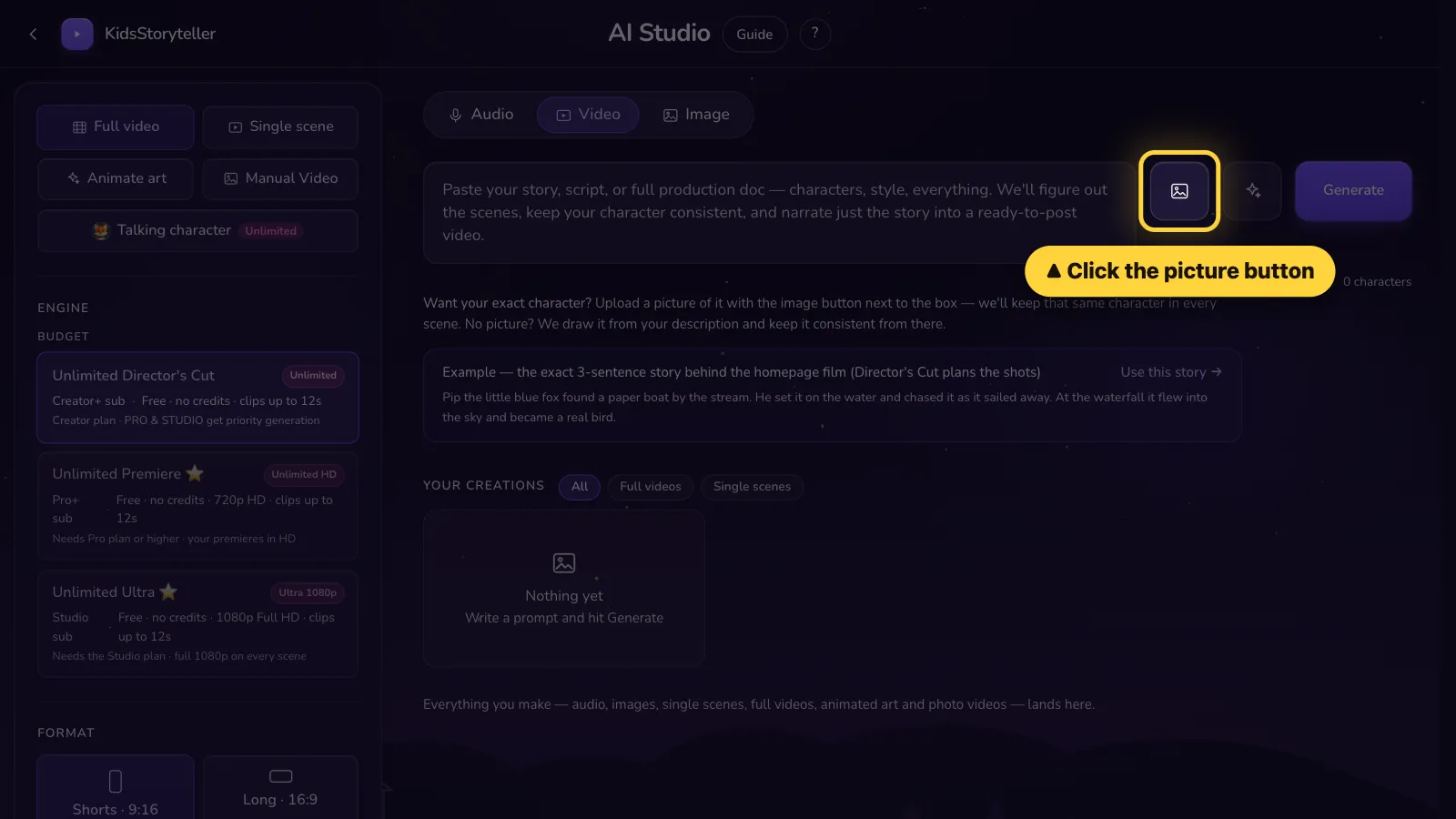
- 2
Step 2 of 6
Click Add character. Pick the picture of your character.Tap Add character. Pick the picture of your character.
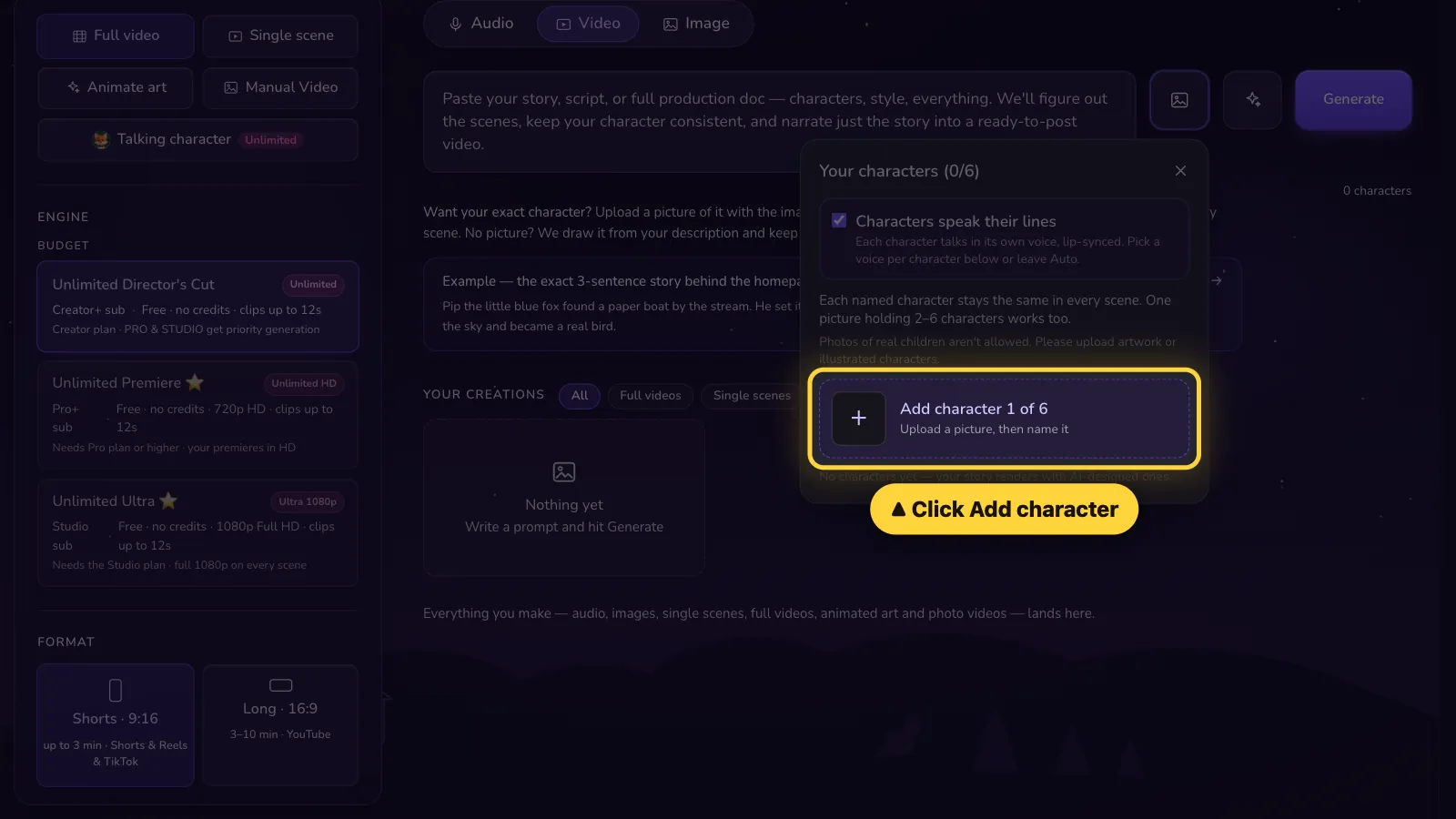
- 3
Step 3 of 6
Type its name. Click Save character.Type its name. Tap Save character.
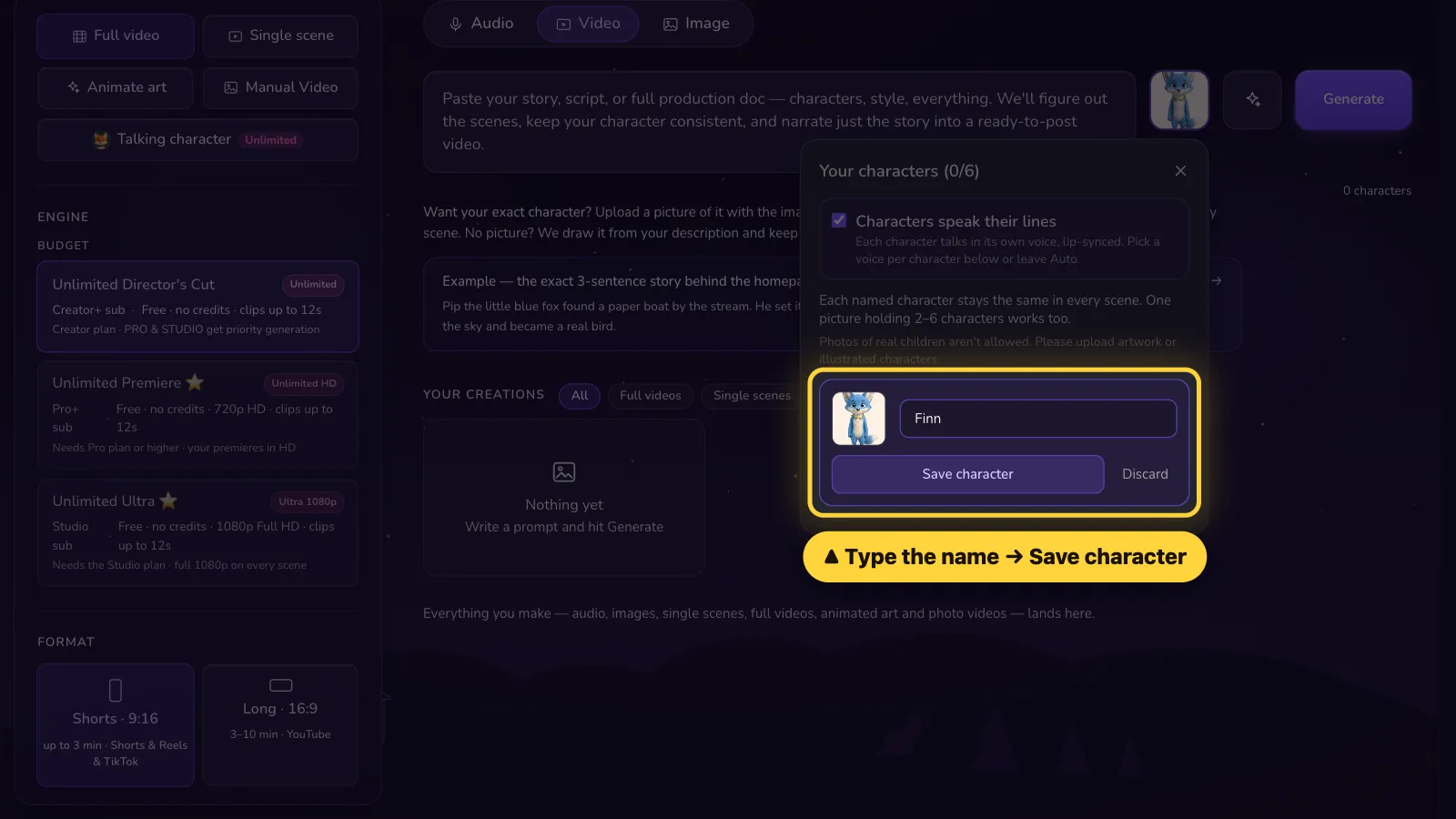
- 4
Step 4 of 6
Done! Your character is in your story. Use the same name in your story.Done! Your character is in your story. Use the same name in your story.
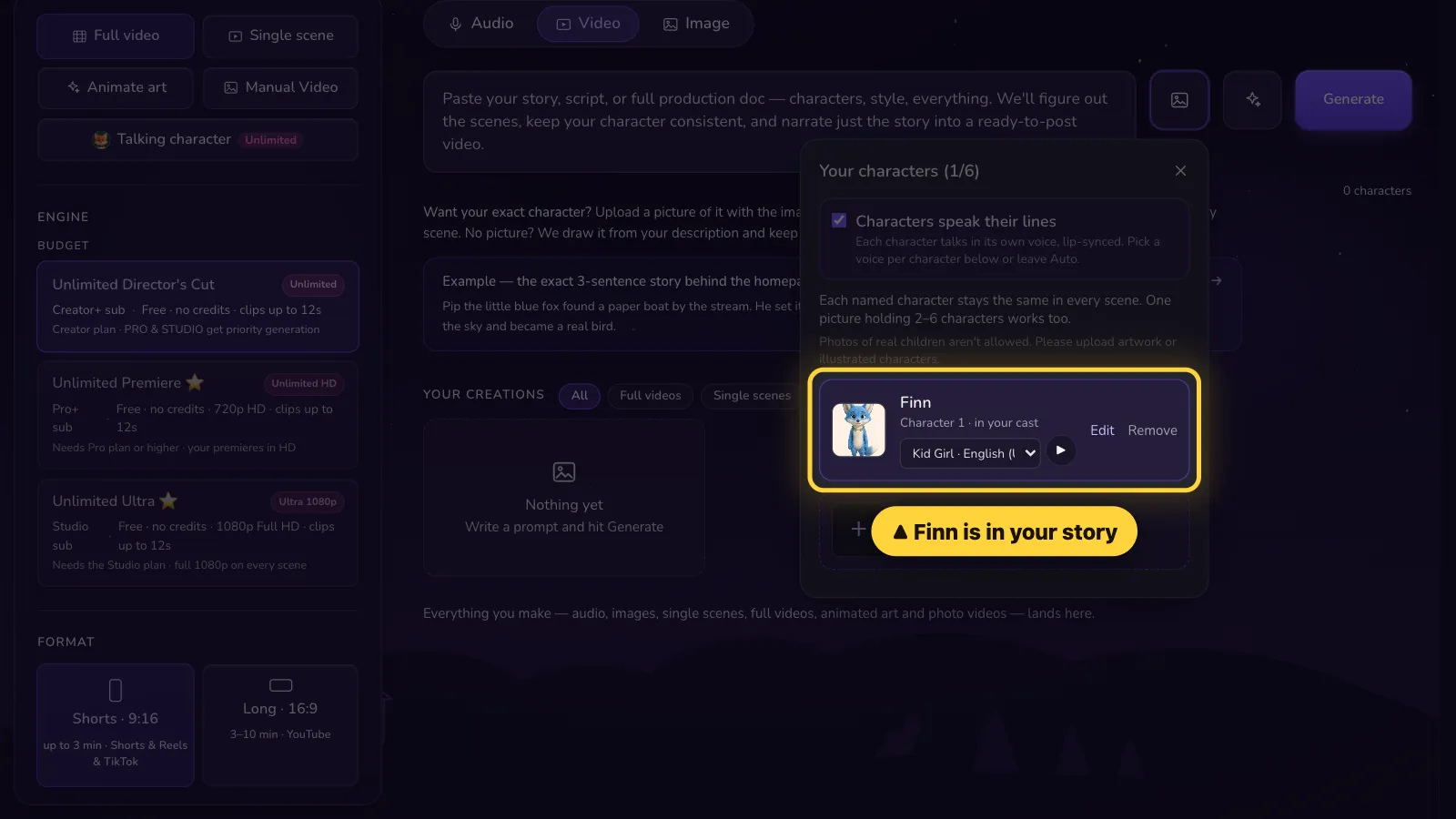
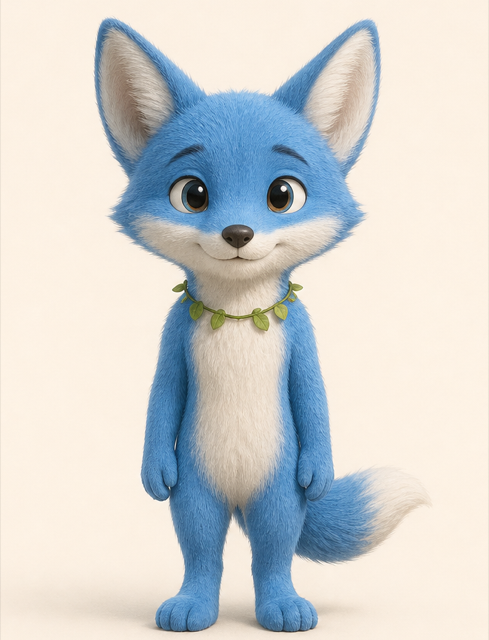
✓ Good
One drawn character
✕ Not allowed
Photos of real children
- 5
Step 5 of 6
Another way: click + New on the left.Another way: tap Settings, then tap + New.
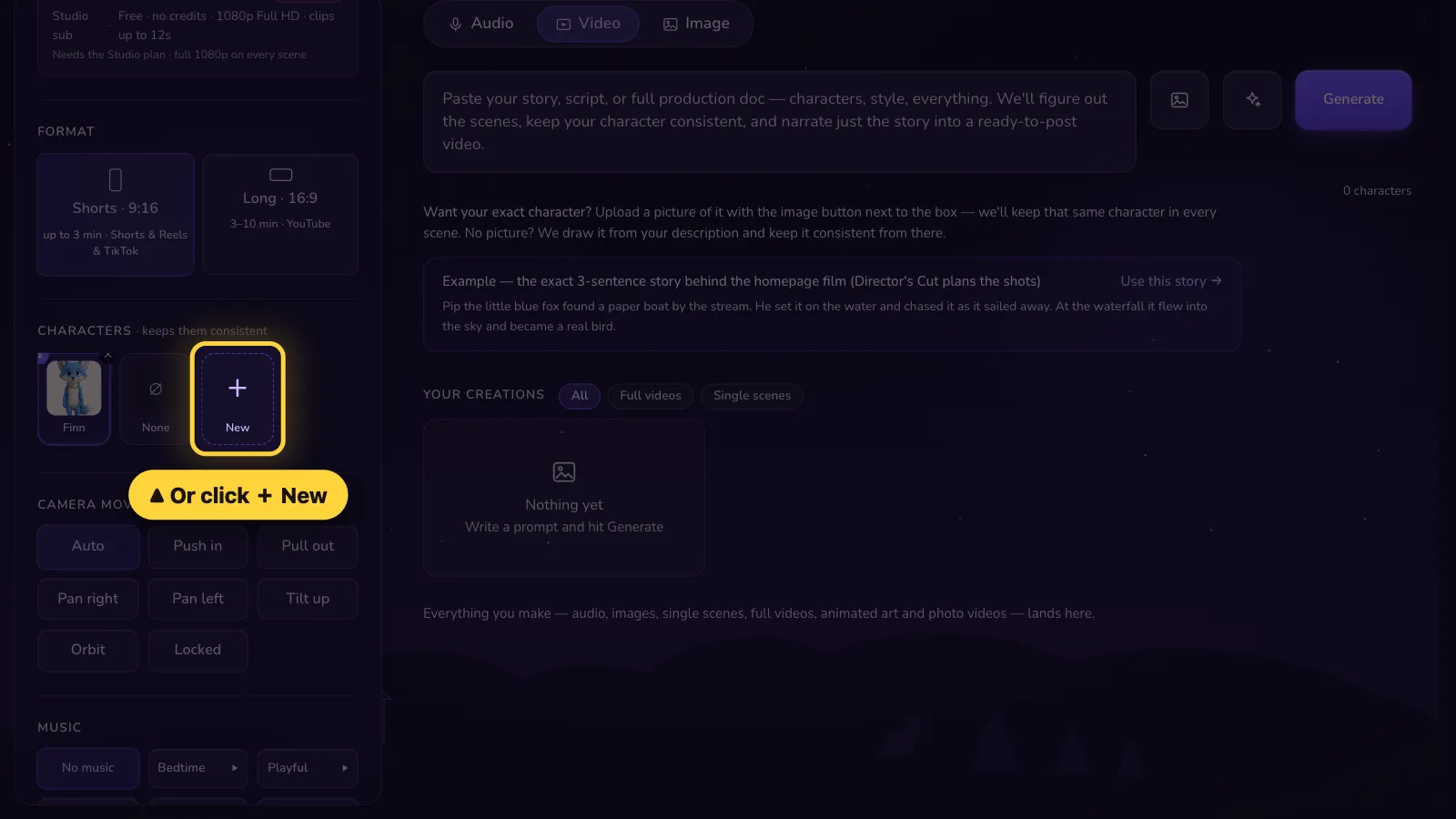
- 6
Step 6 of 6
Type a name. Pick a voice. Click Upload your own art. Then save.Type a name. Pick a voice. Tap Upload your own art. Then save.
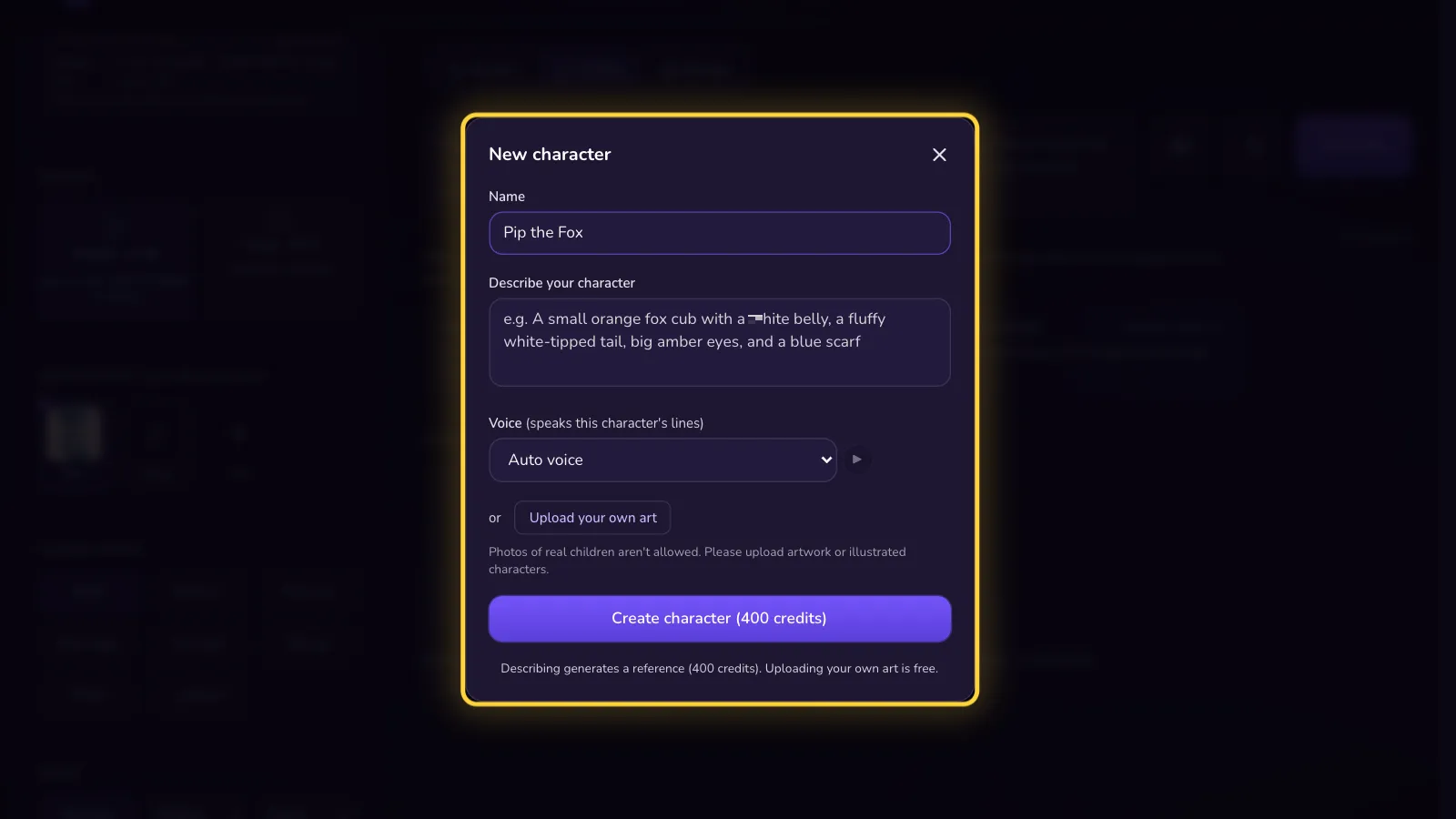


You can add up to 6 characters to one story. They stay saved for next time.
That's it! 🎉
Open it in the AI Studio