Make one short scene
You get: One short moving clip of one moment.
Open it first. Then follow the steps below.
Open it in the AI Studio- 1
Step 1 of 7
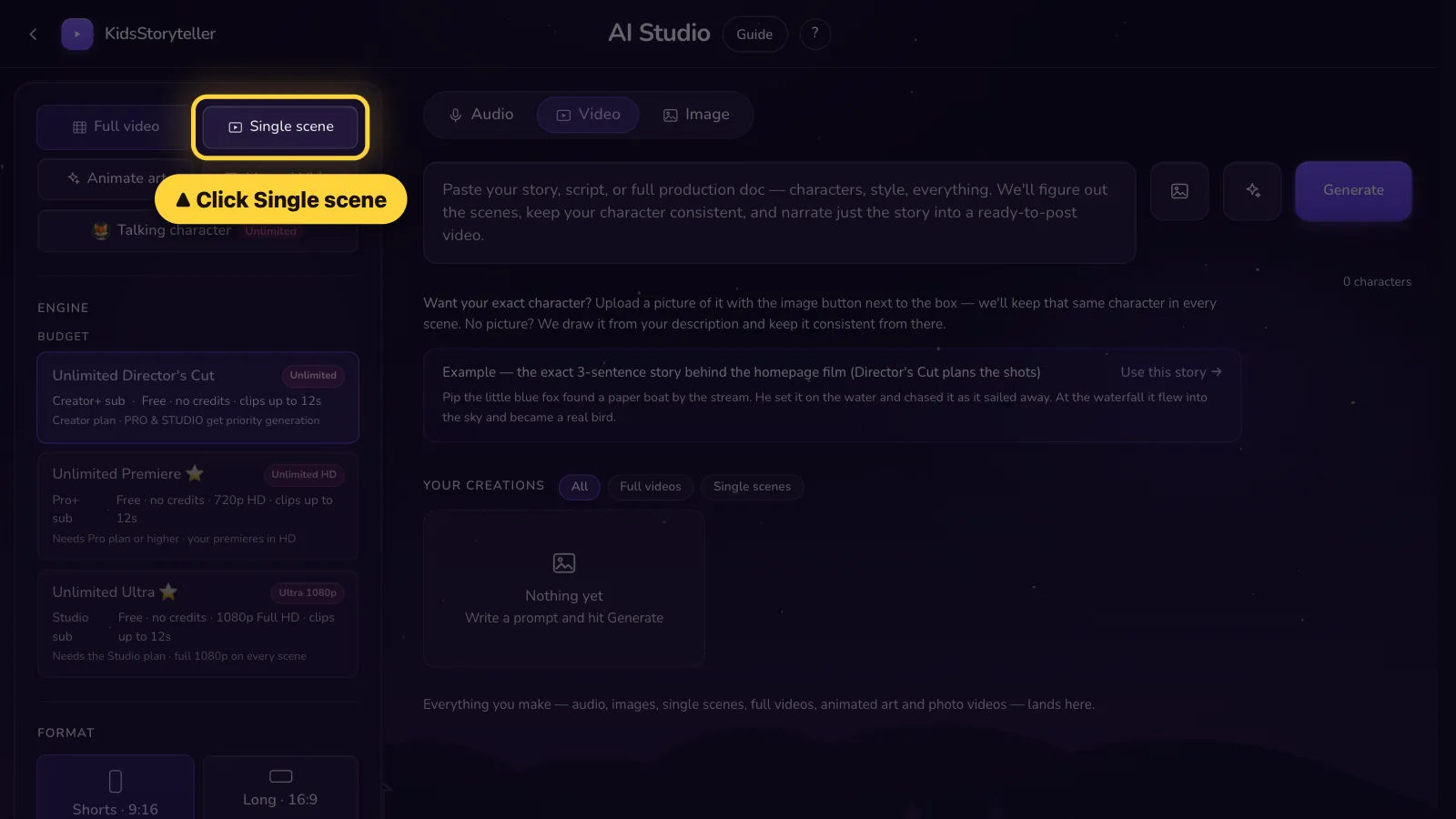
Click Single scene on the left.Tap Settings. Tap Single scene.
- 2
Step 2 of 7
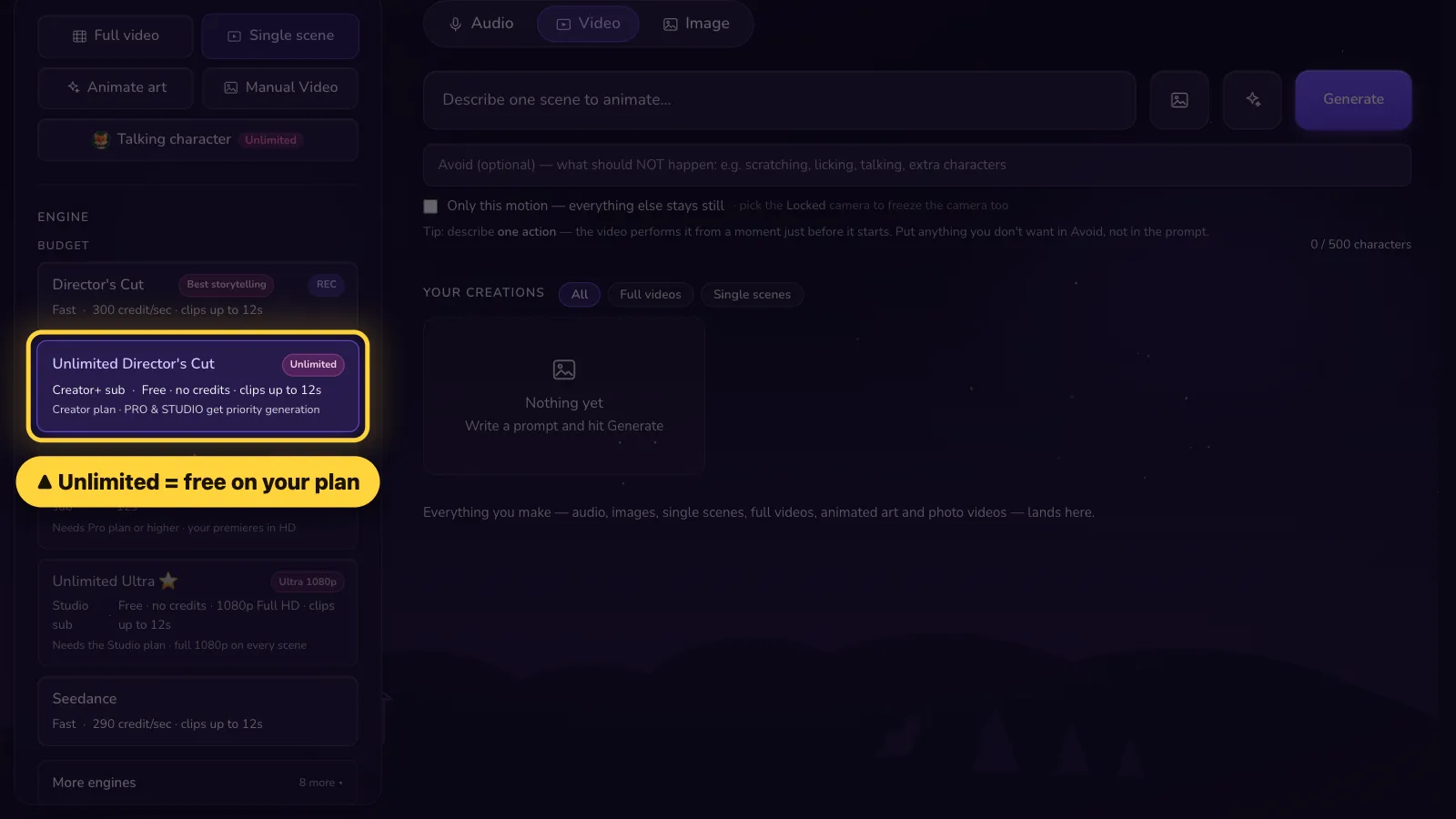
Check that an Unlimited engine is picked. It is free on Creator, Pro and Studio.In Settings, check that an Unlimited engine is picked. It is free on Creator, Pro and Studio.
- 3
Step 3 of 7
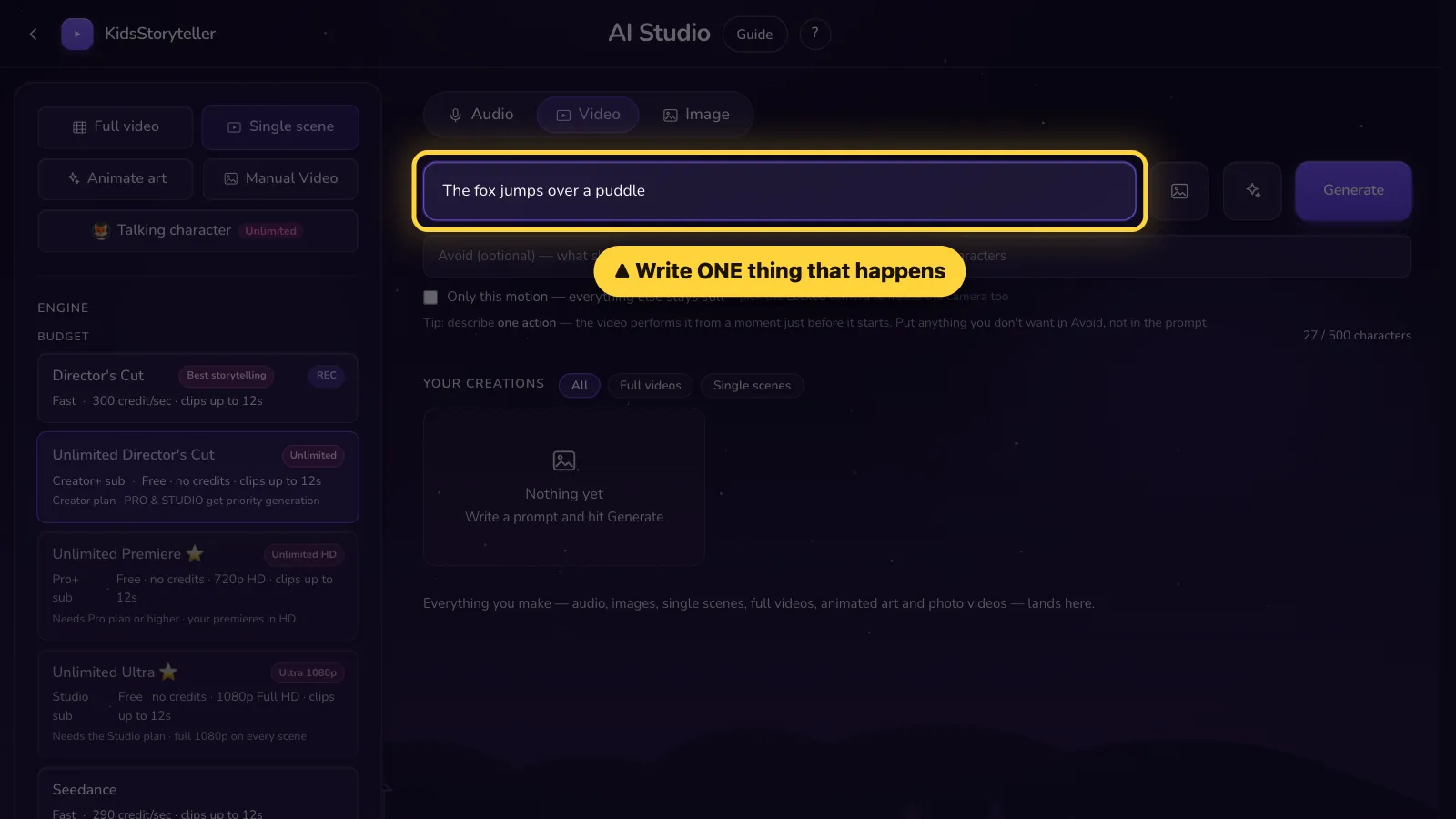
Write ONE thing that happens.Write ONE thing that happens.
- 4
Step 4 of 7
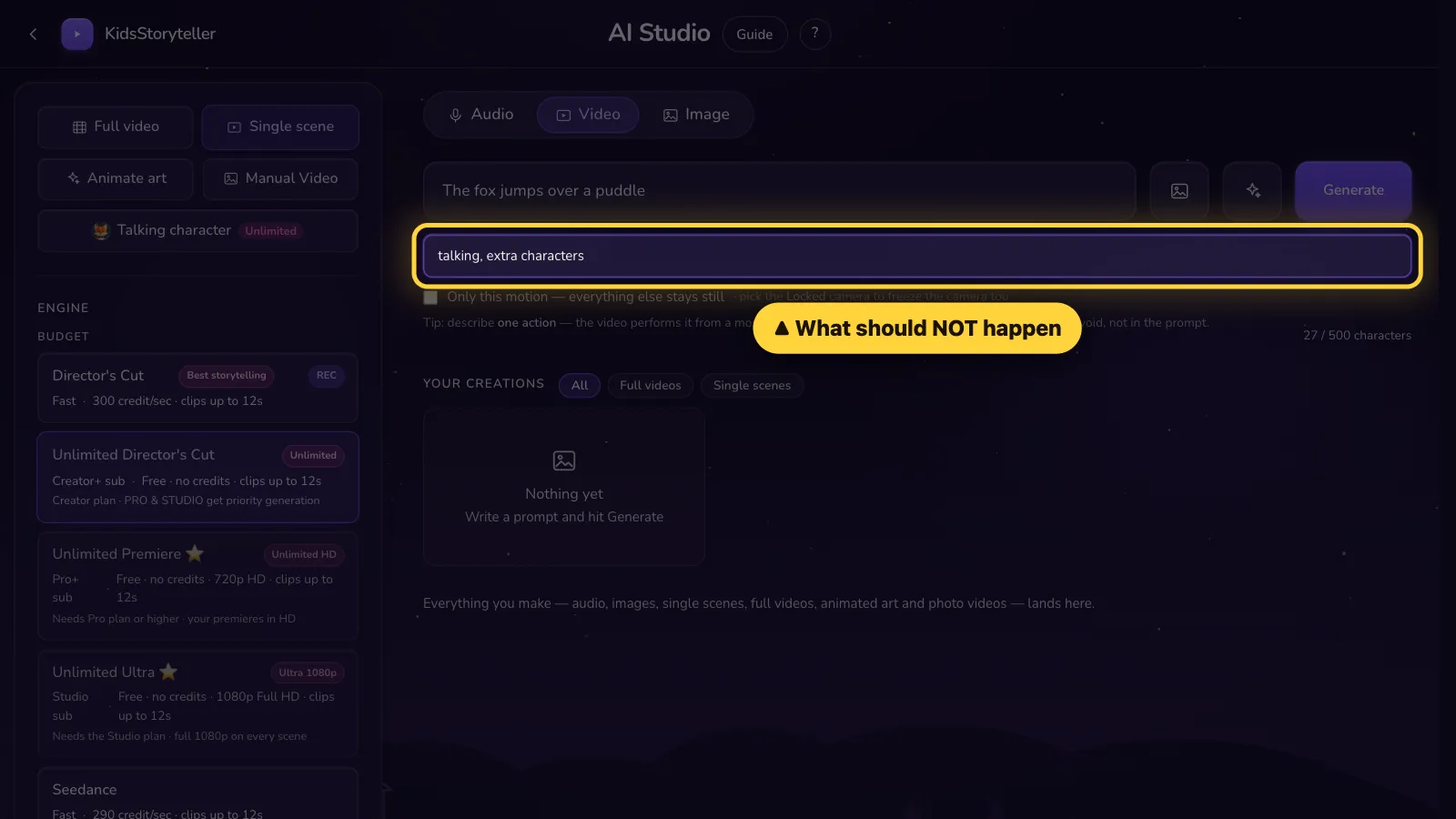
Optional: write what should NOT happen.Optional: write what should NOT happen.
- 5
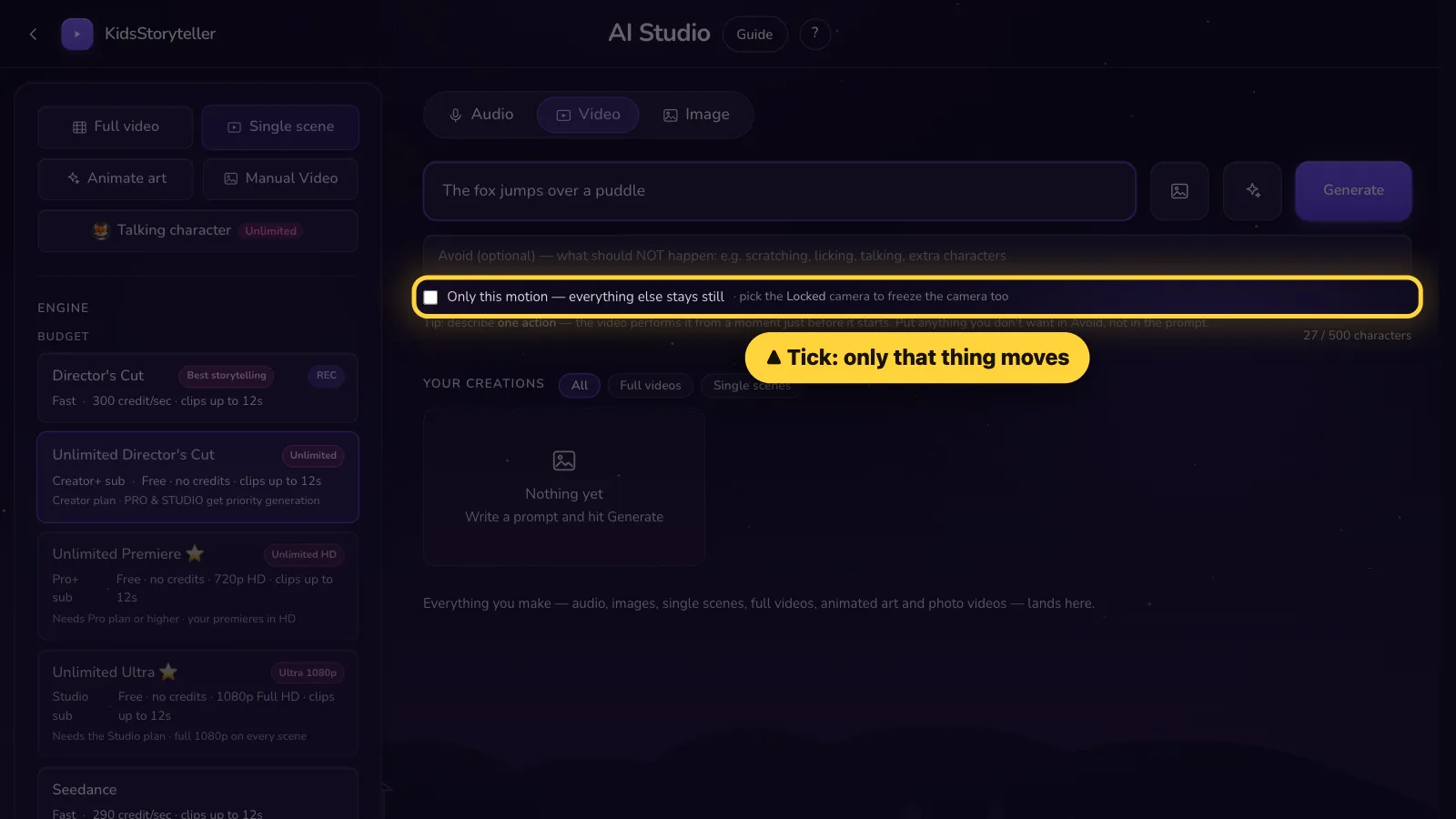
Step 5 of 7
Optional: tick this so only that thing moves.Optional: tick this so only that thing moves.
- 6
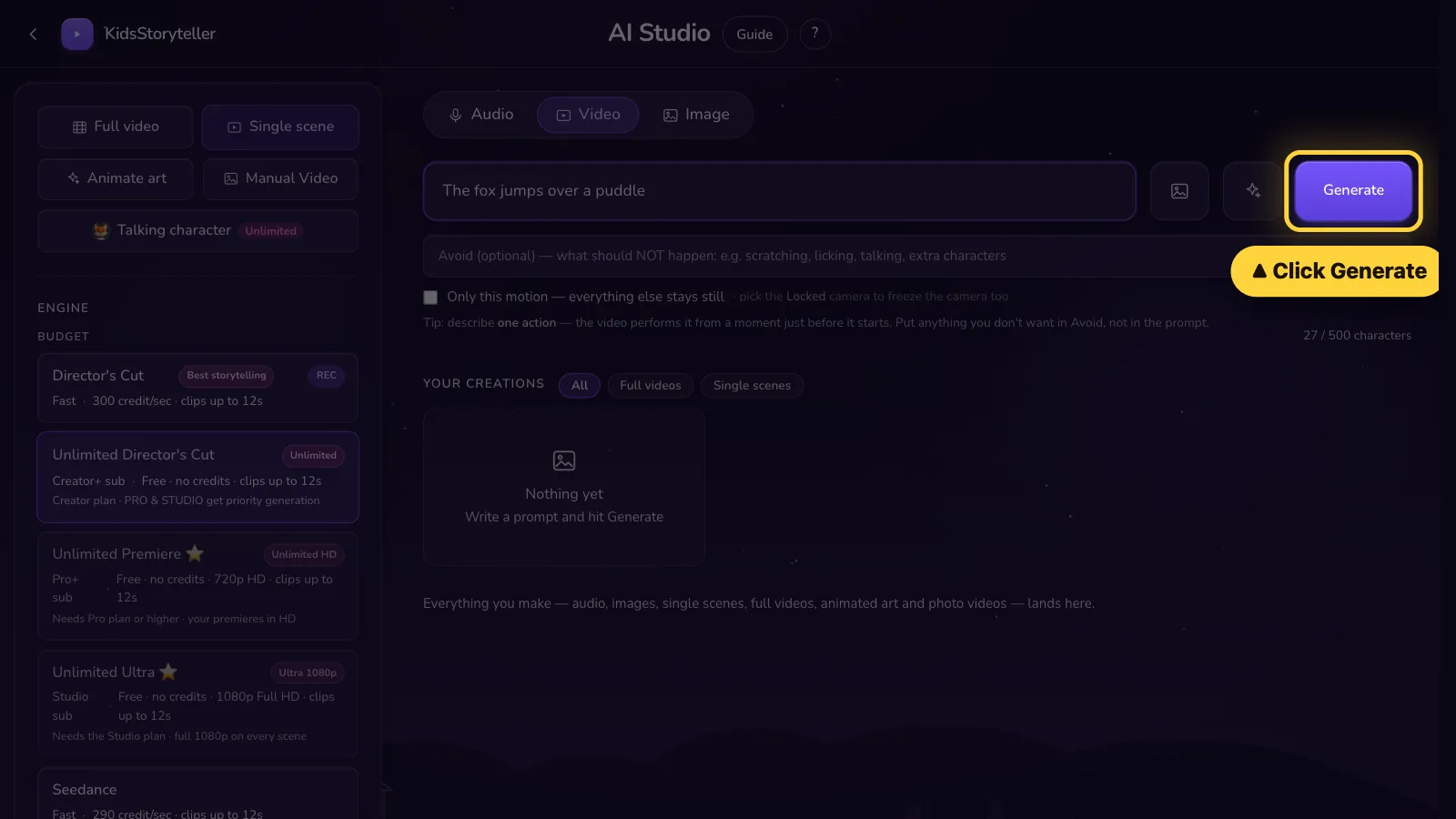
Step 6 of 7
Click Generate.Tap Generate.
- 7
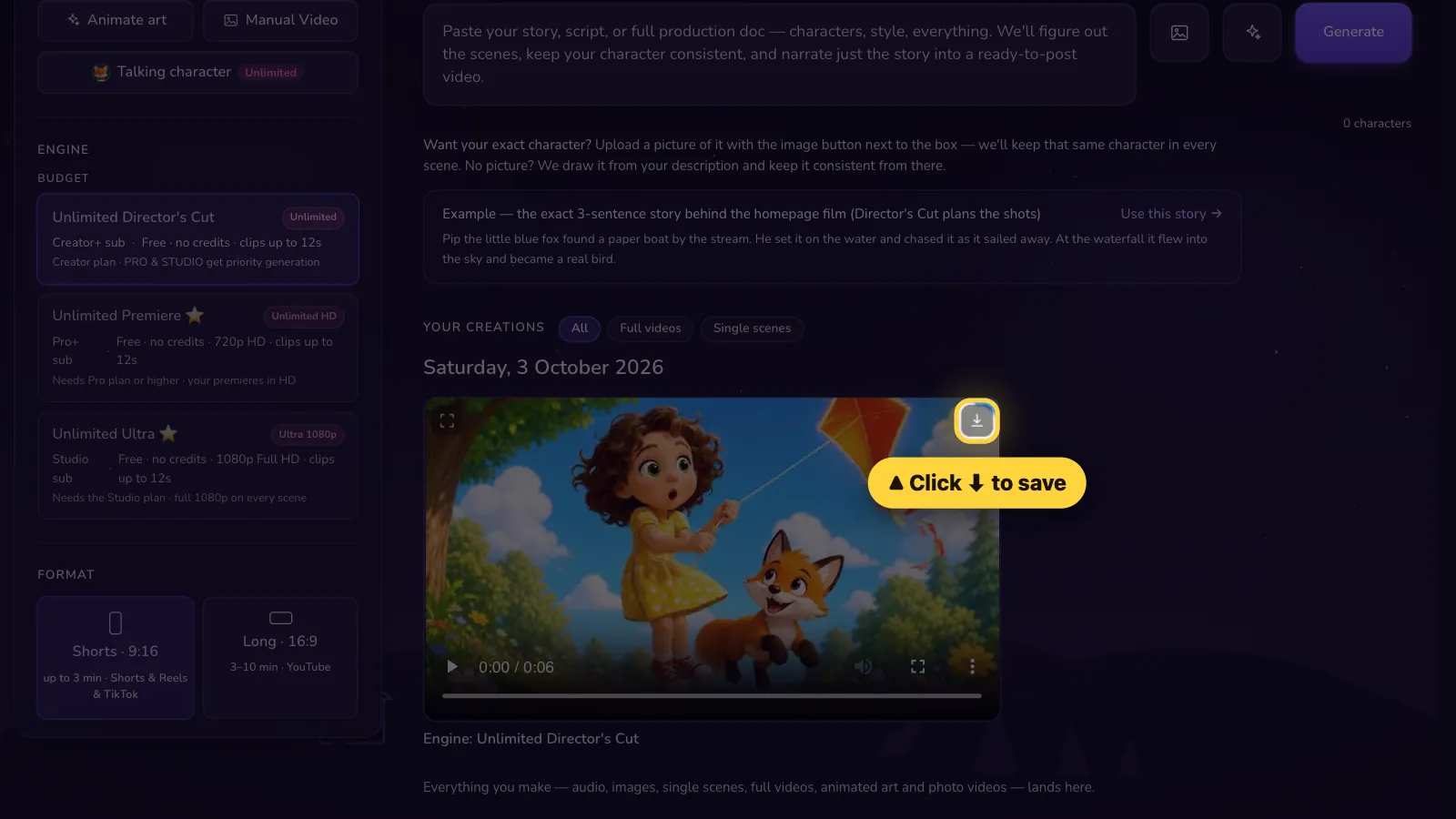
Step 7 of 7
Done! Click ⬇ to save it.Done! Tap ⬇ to save it.


That's it! 🎉
Open it in the AI Studio