Add your own music
You get: Your own song plays under your video. On Creator, Pro and Studio.
Open it first. Then follow the steps below.
Open it in the AI Studio- 1
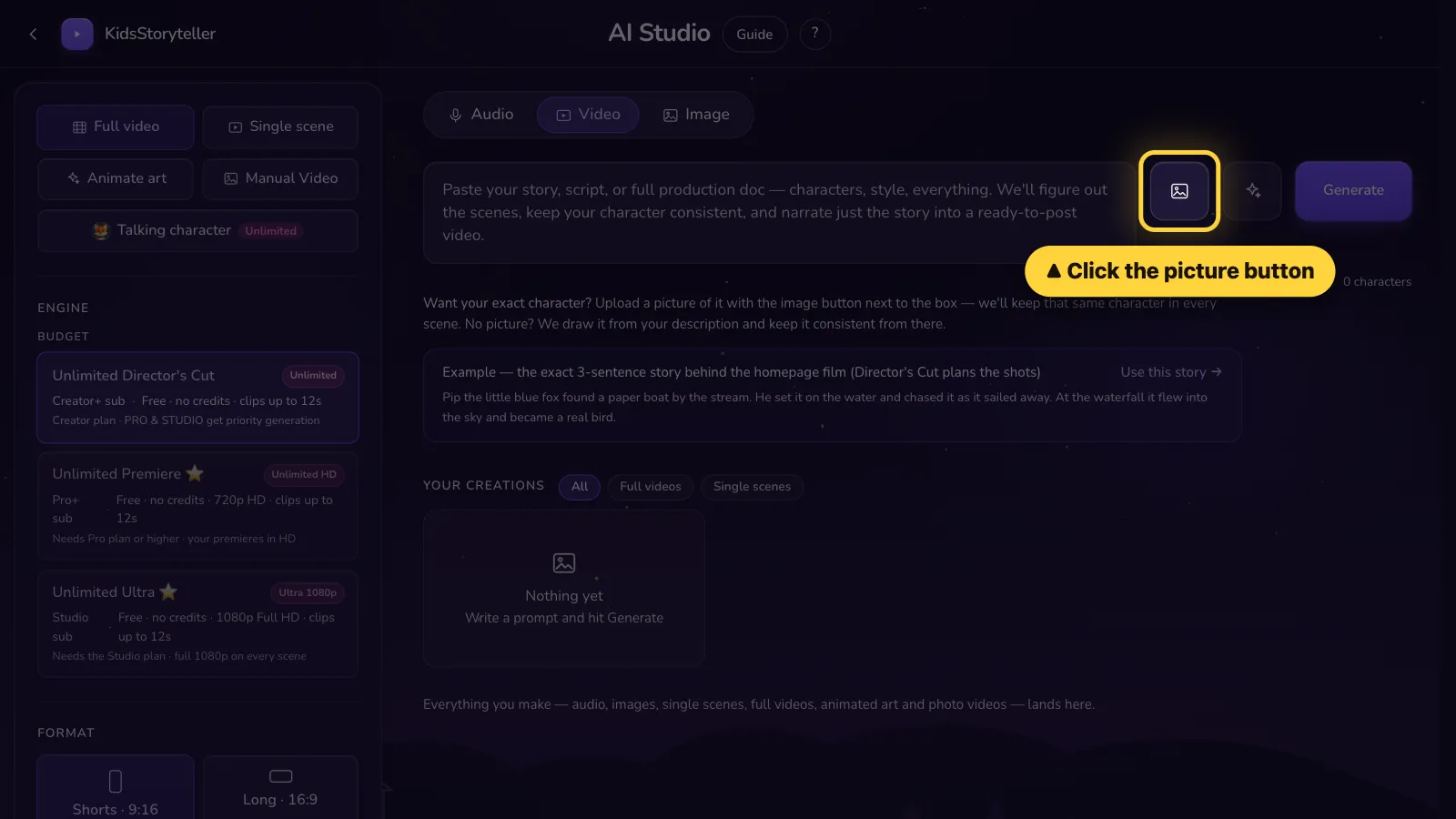
Step 1 of 7
Click the picture button next to the big box.Tap the picture button next to the big box.
- 2
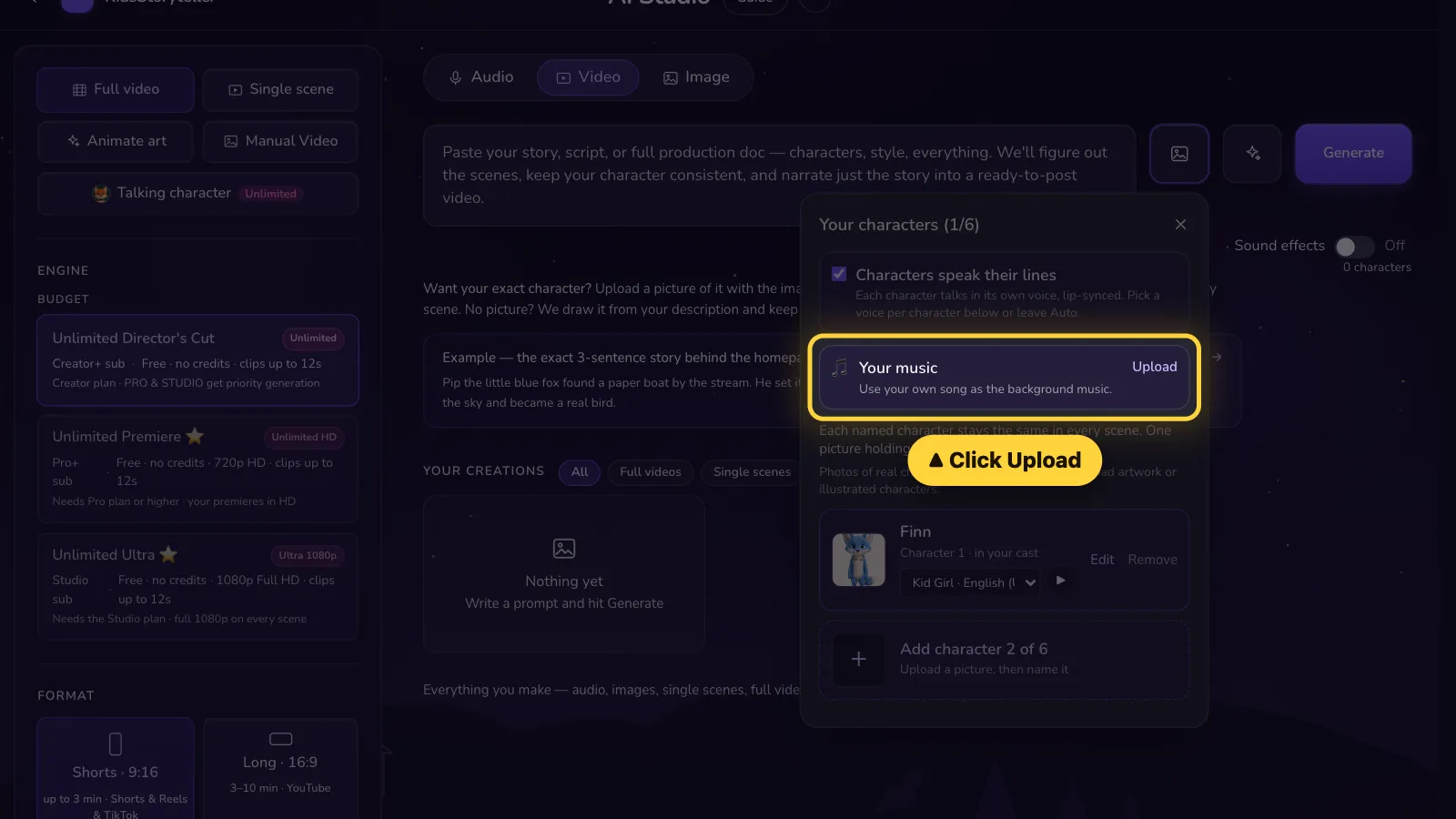
Step 2 of 7
Next to Your music, click Upload.Next to Your music, click Upload.
- 3
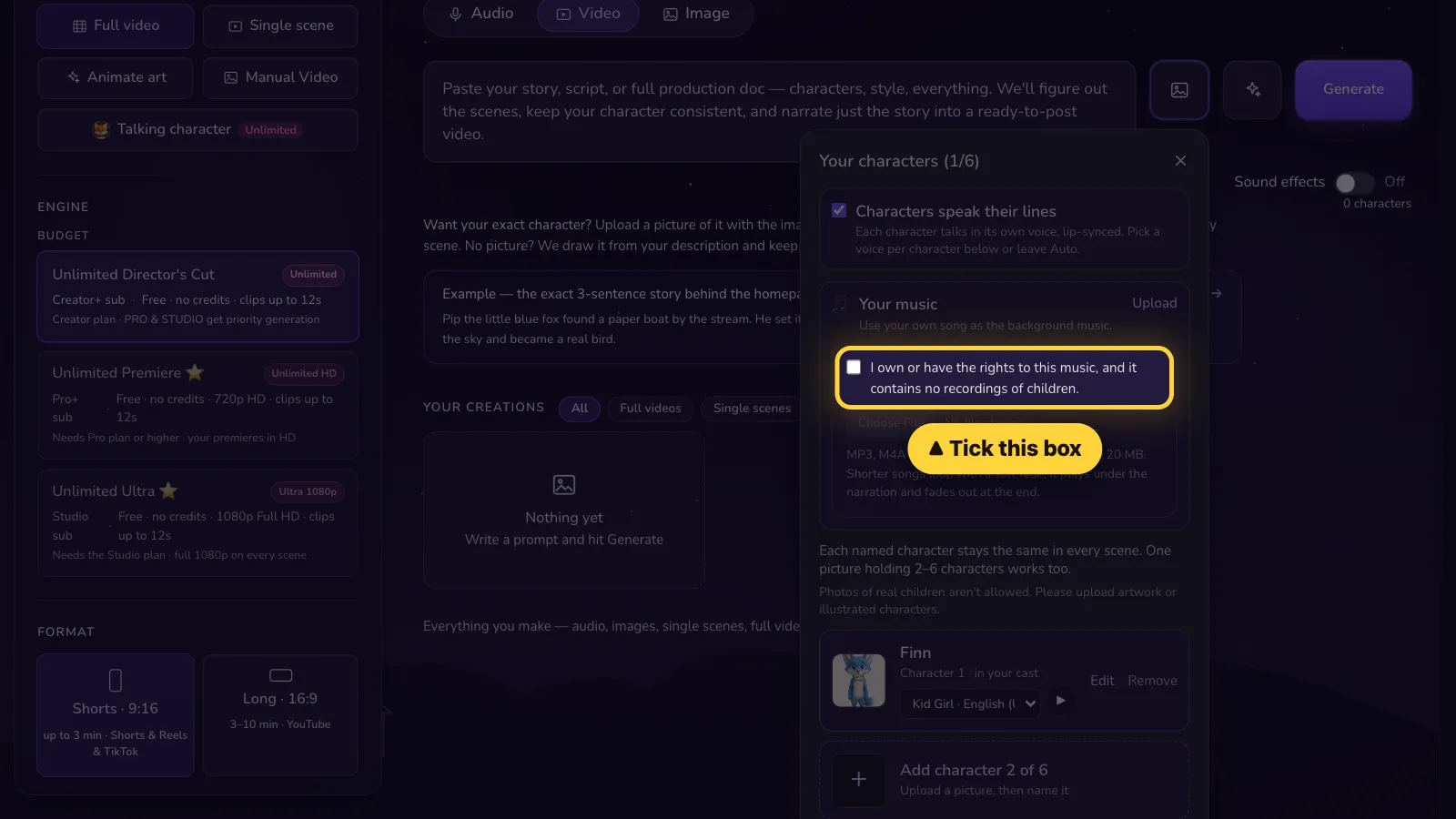
Step 3 of 7
Tick the box. It says the song is yours to use.Tick the box. It says the song is yours to use.
- 4
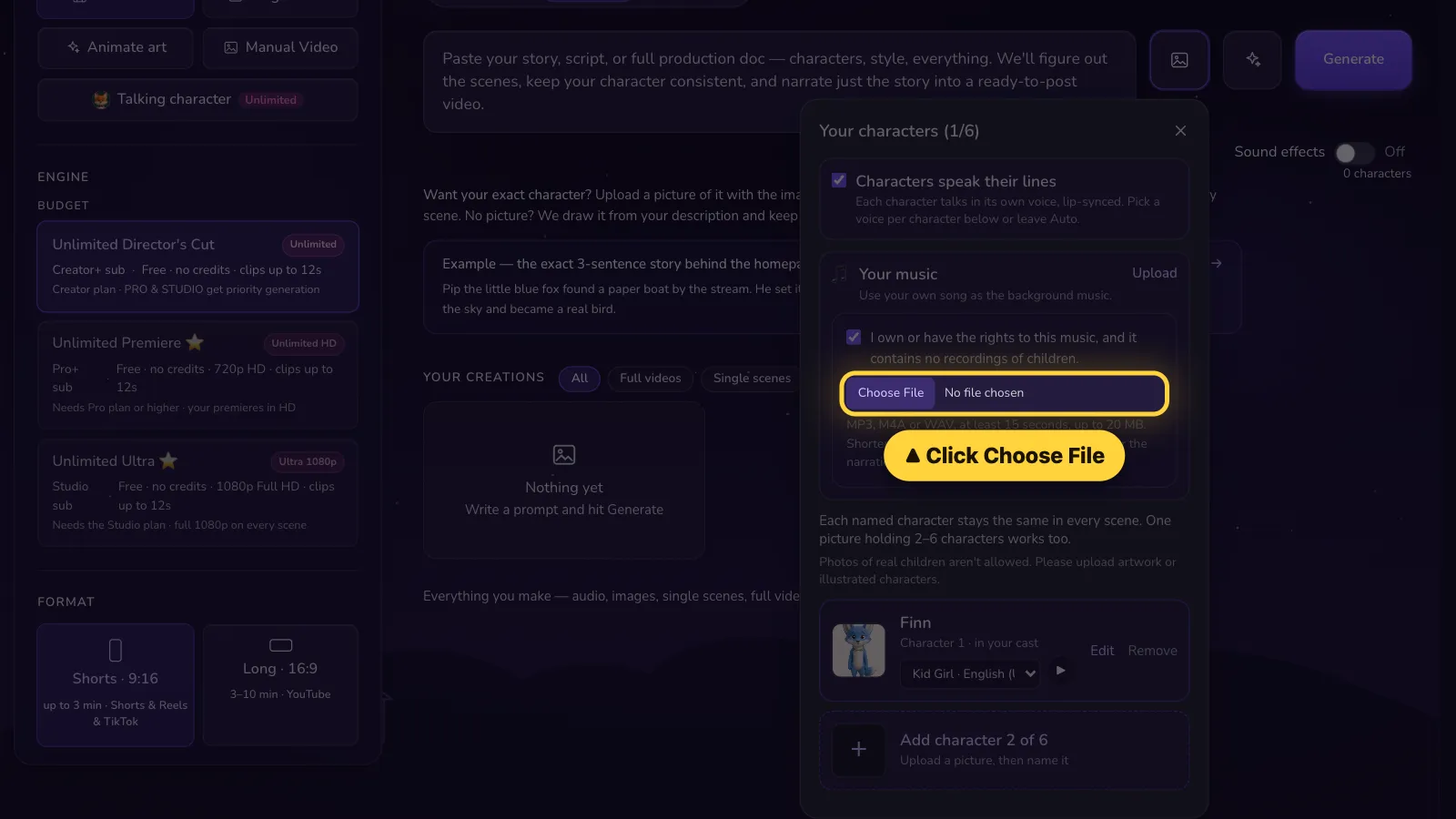
Step 4 of 7
Click Choose File. Pick your song (MP3, M4A or WAV).Tap Choose File. Pick your song (MP3, M4A or WAV).
- 5
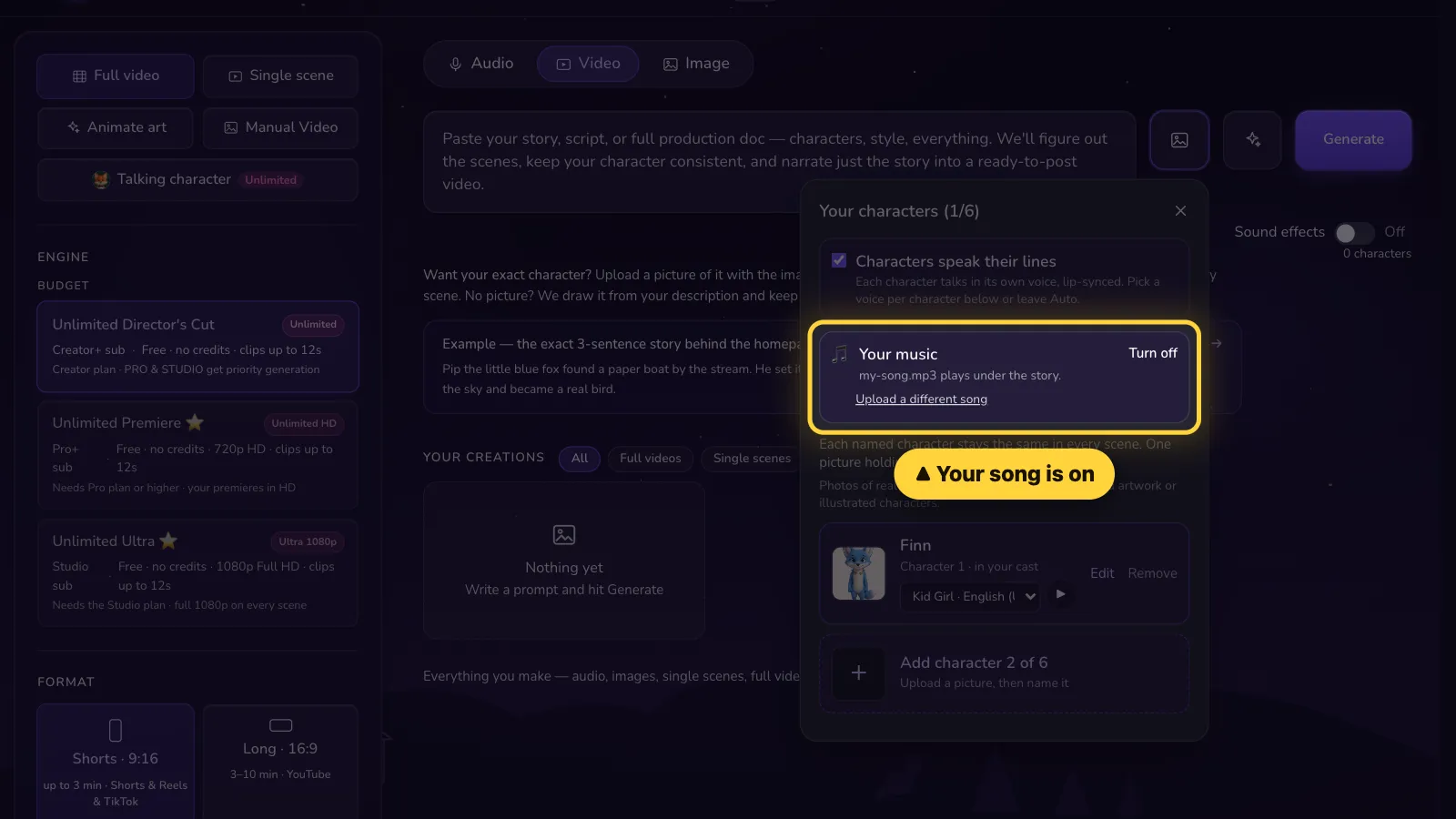
Step 5 of 7
Done! Your song plays under the story.Done! Your song plays under the story.
- 6
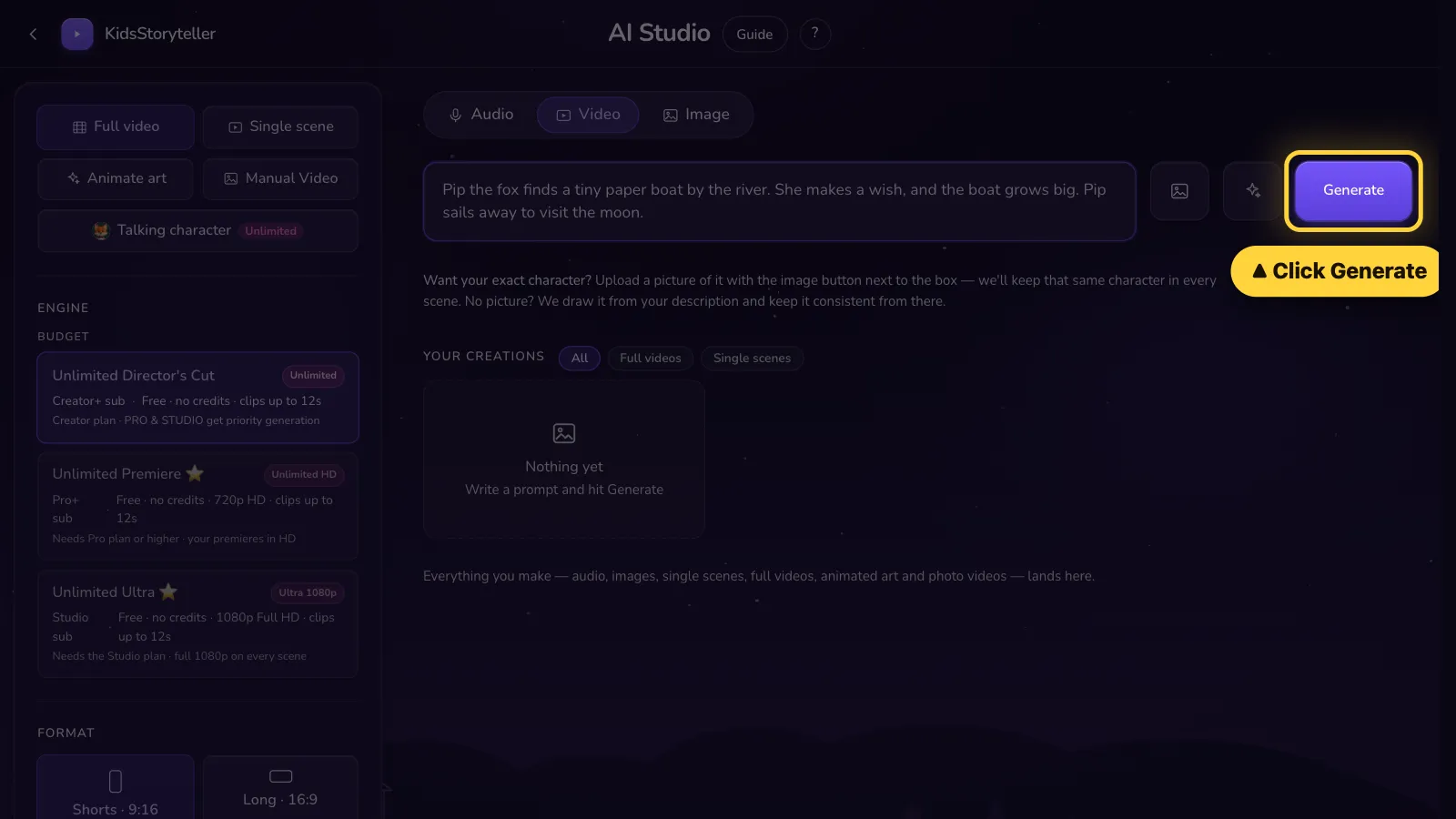
Step 6 of 7
Click Generate.Tap Generate.
- 7
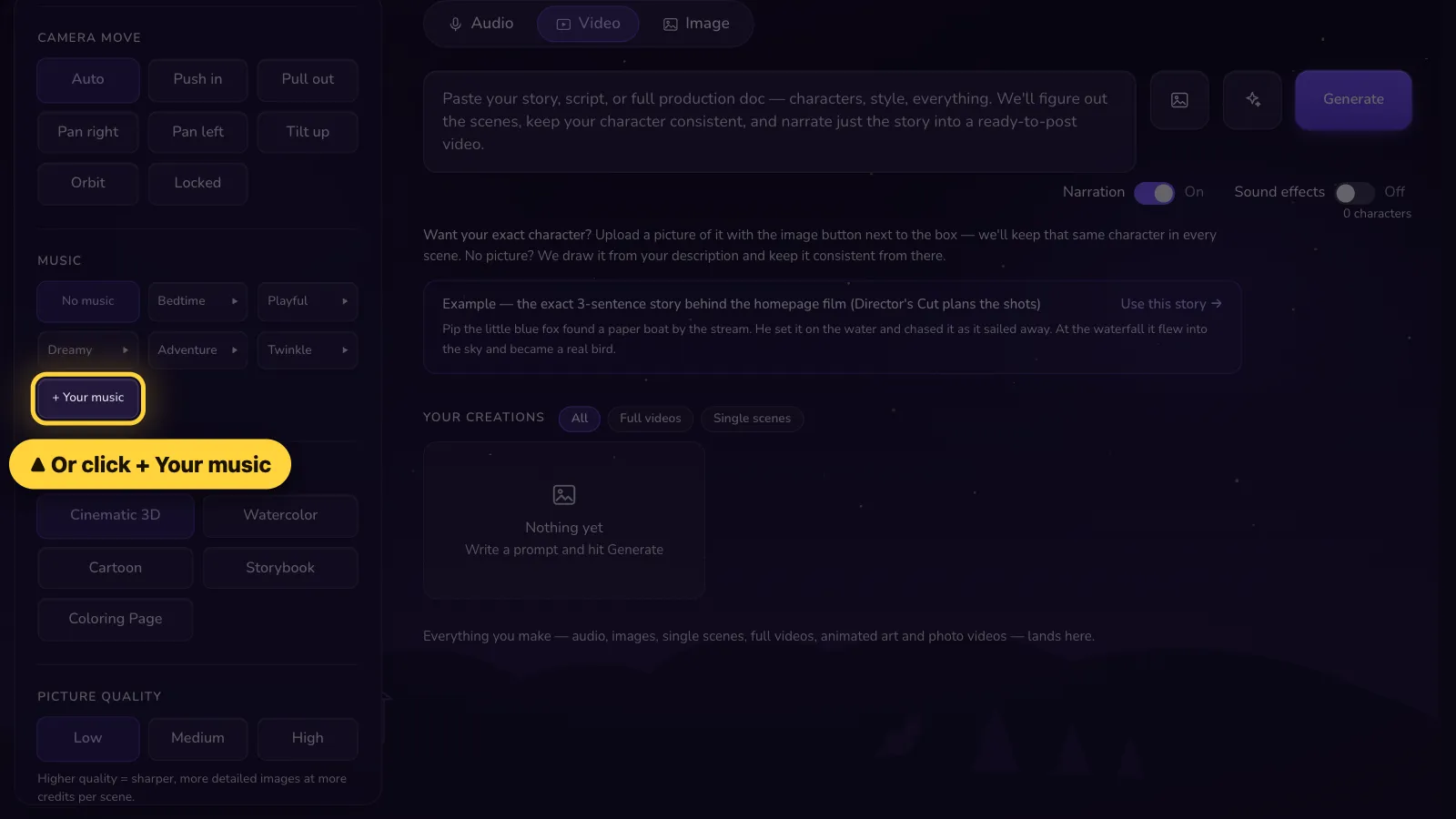
Step 7 of 7
Another way: under Music on the left, click + Your music.Another way: tap Settings. Under Music, tap + Your music.


Short songs repeat with a soft fade. The song gets quieter when someone speaks and fades out at the end. Use only music you own or may use, with no recordings of children.
That's it! 🎉
Open it in the AI Studio