How to make an animated kids story video with AI
You can turn a children's story into a narrated cartoon video without drawing or editing anything. This guide shows the six steps in the KidsStoryteller.ai AI Studio, with real screenshots: the story, a character that looks the same in every scene, the voices, the format, Generate, and uploading the finished video.
6
steps from story text to a finished video
~9 s
per scene on average — a 5-minute story is about 35 scenes
16:9 · 9:16
YouTube up to 10 minutes, Shorts up to 3 minutes
The 6 steps
- 1
Write the story — or let AI draft it
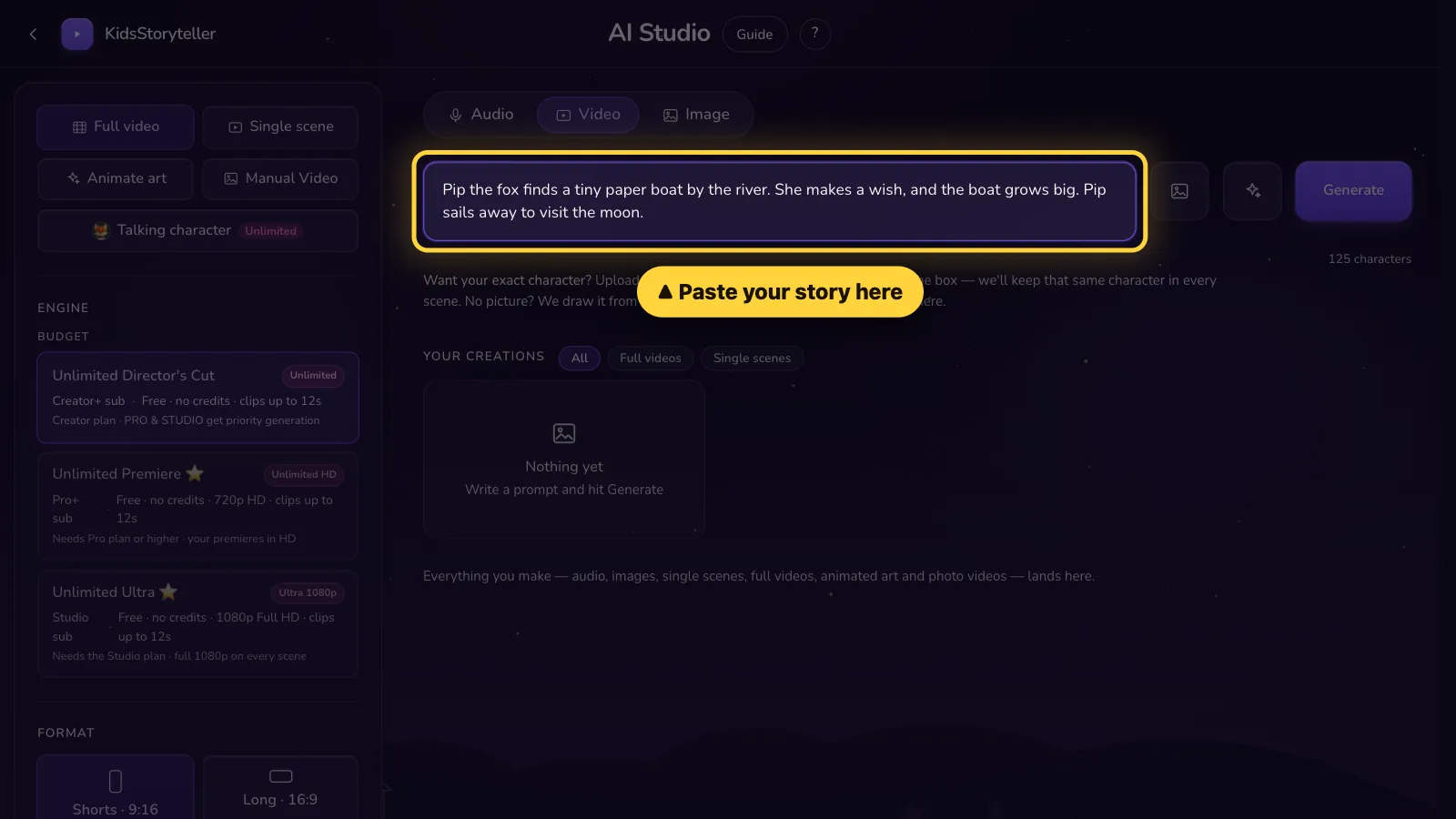
Open the AI Studio, choose Full video and paste your story into the big box. No story yet? The AI story writer drafts one for an age group (3–4, 5–6, 7–8 or 9–10) and a length from about 1 minute to about 10 minutes. Length drives the video: each scene follows its narration, about 9 seconds on average, so a 5-minute story is about 35 scenes.
- 2
Add your character so it looks the same in every scene
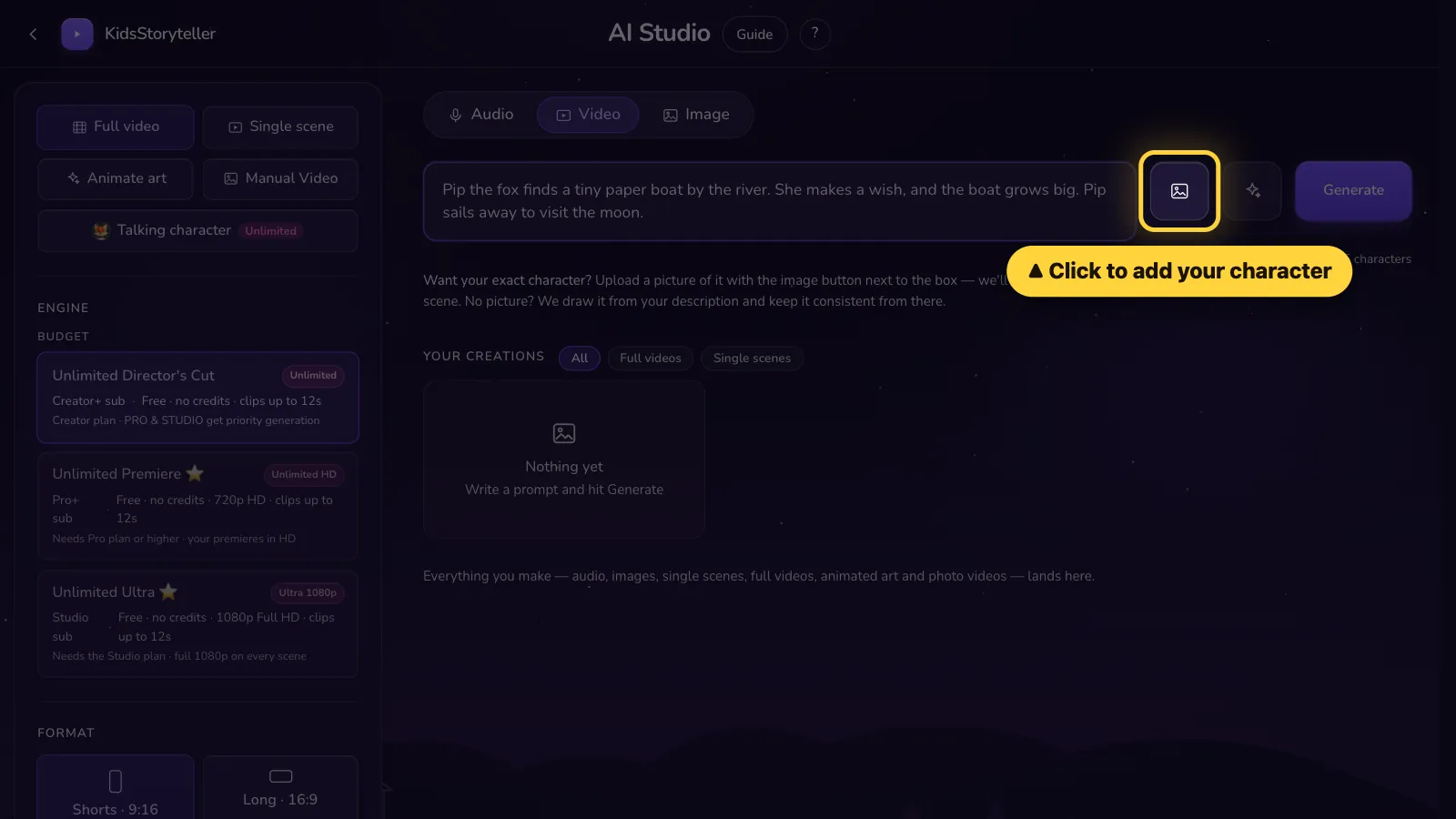
Click the picture button next to the story box, add a picture of your character and give it a name — then use that same name in the story. Every scene is drawn from that picture, which is what keeps a hero from changing face, clothes or colour halfway through. Up to 6 characters can join one story, and they stay saved for your next video. Picture guide: add a character.
- 3
Pick the voices
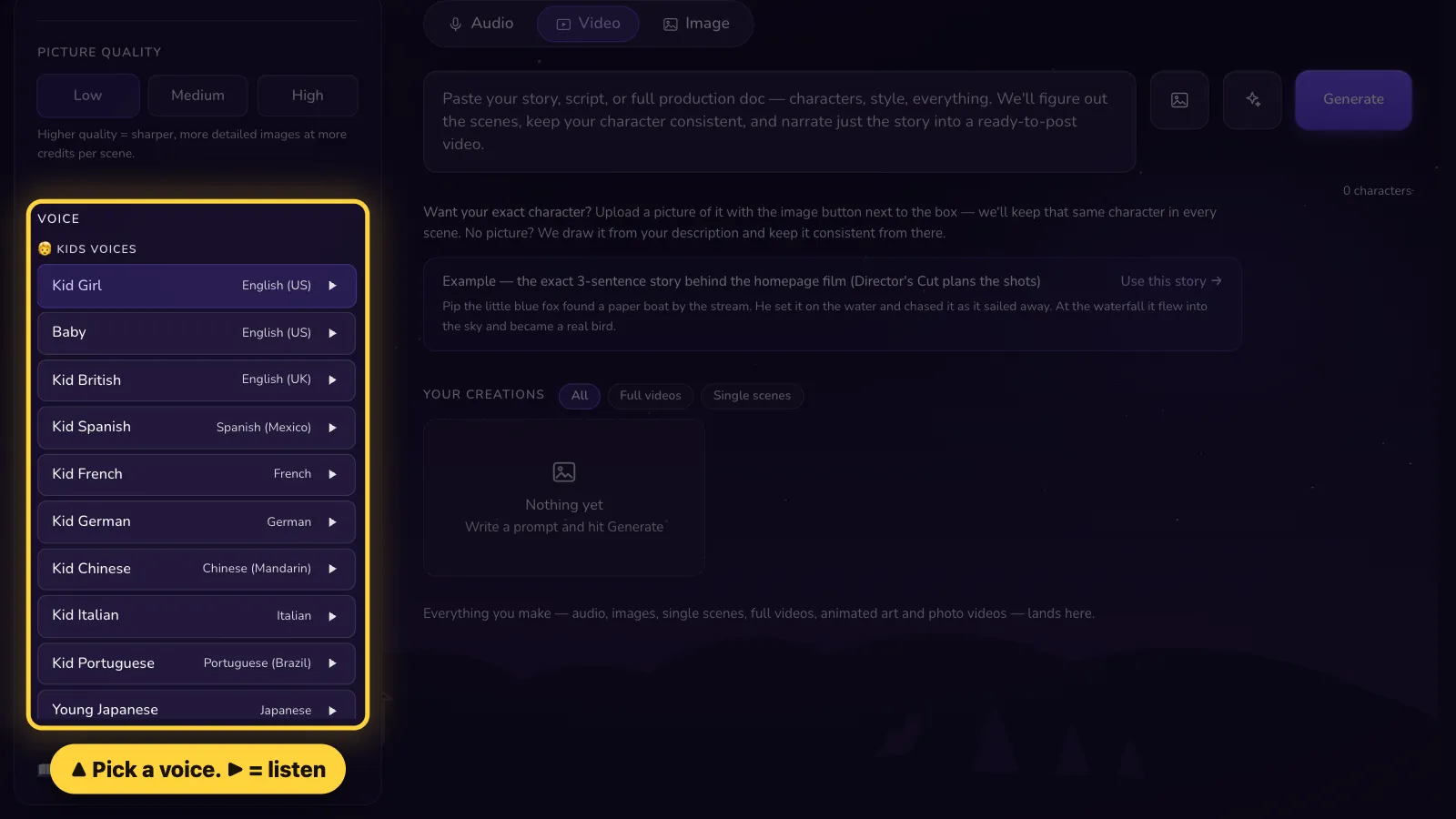
Choose a narrator voice and press ▶ to hear it first. To let characters speak their own lines, write each line on its own row as Name: what they say and pick a voice for each character; on the Studio plan their mouths move with the words. Picture guide: make your characters talk.
- 4
Choose the format and the music
Pick Long · 16:9 (3–10 minutes) for a regular YouTube video, or Shorts · 9:16 (up to 3 minutes) for YouTube Shorts, Reels and TikTok. Background music is added for you; on Creator, Pro and Studio you can upload your own song instead.
- 5
Press Generate
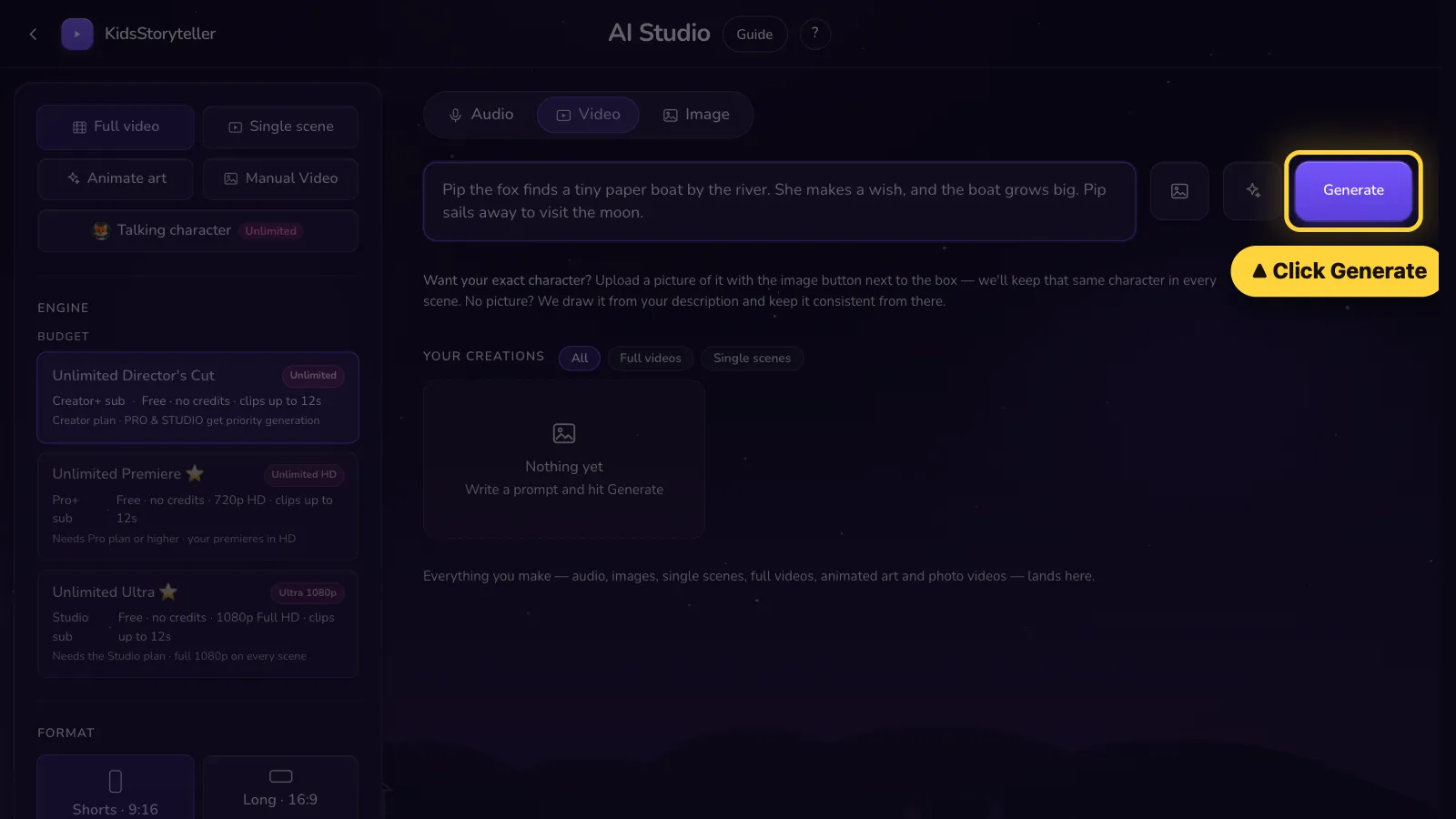
Click Generate. The video is made scene by scene, keeps going if you close the page, and arrives by email and in Your Creations when it is ready. Long stories can take a few hours, because each plan makes a set number of scenes per day.
- 6
Download it and upload it to YouTube or TikTok
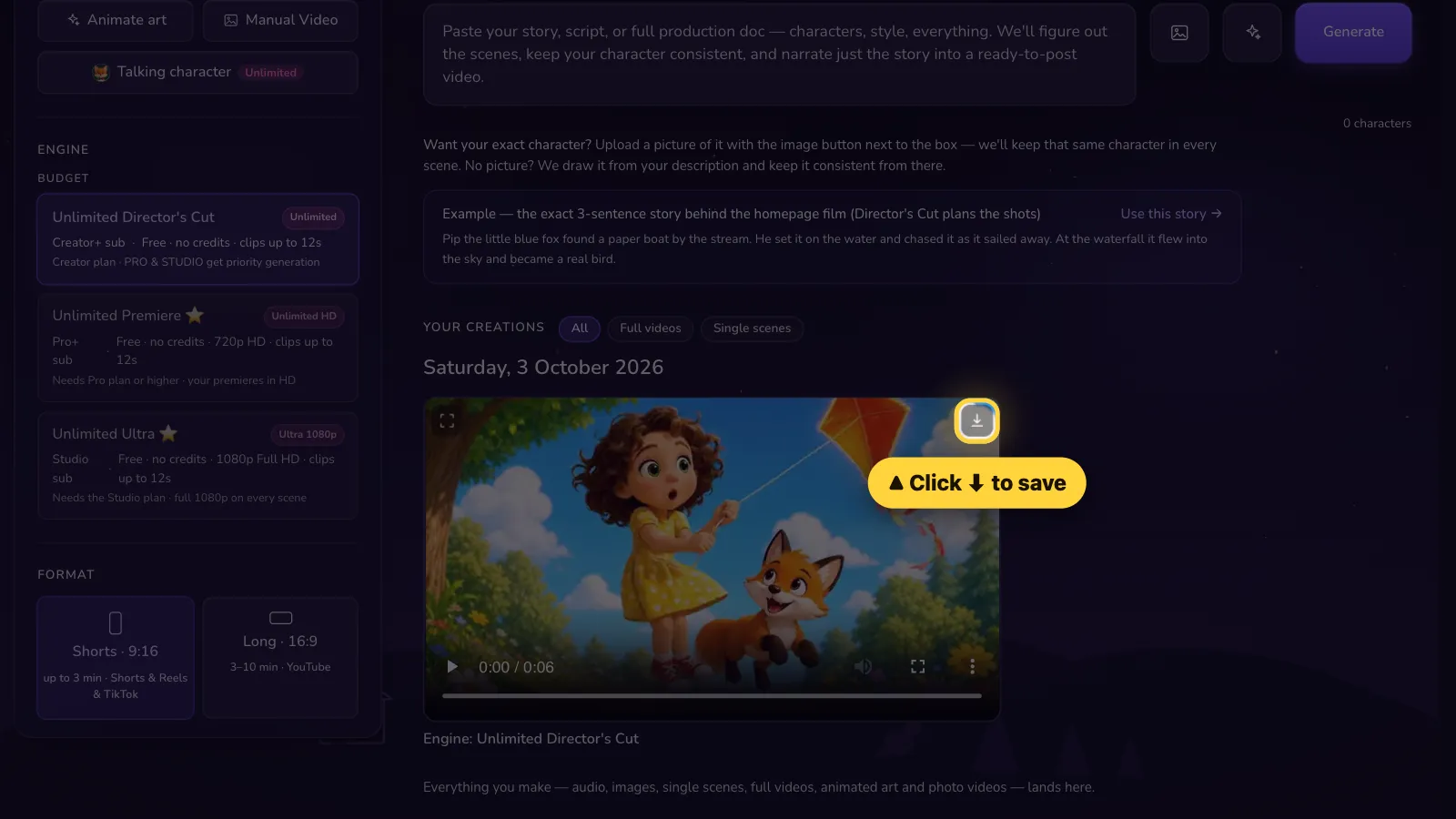
Click ⬇ to save the video, then upload it on YouTube's or TikTok's own upload page. Videos you make are yours to use on your channel, including monetized channels (see the Terms of Service, section 6); YouTube's own monetization rules still apply.


Questions people ask
What is the easiest way to make an animated kids story video with AI?
Use a story-to-video tool that does every step in one place: paste or generate the story, add your character's picture, pick a voice, choose 16:9 or 9:16 and press Generate. KidsStoryteller.ai writes the scenes, draws them from your character, animates them, narrates them and adds music, then emails you the finished video.
How do I keep the same character in every scene?
Give the tool one clear picture of your character and use the character's name in the story. In KidsStoryteller.ai you add the picture with the button next to the story box; every scene is generated from it. Up to 6 characters can be in one story.
How long can the video be?
Up to 10 minutes in 16:9 (YouTube) and up to 3 minutes in 9:16 (Shorts, Reels, TikTok). A scene is about 9 seconds on average, so a 5-minute story is about 35 scenes and a 10-minute story about 65.
Can the characters talk?
Yes. Write each spoken line on its own row as "Name: line" and pick a voice for each character; lines without a name are read by the narrator. On the Studio plan the characters' mouths also move with the words (lip sync).
Which plan do I need?
Full story videos come with the Creator ($29/month), Pro ($49/month) and Studio ($99/month) plans, each with a daily scene allowance. Basic ($4) and Starter ($9) make single animated scenes, pictures and narration. See the pricing page for current details.
Can I put the videos on a monetized YouTube channel?
Yes. Under section 6 of the KidsStoryteller.ai Terms of Service, the audio and video you generate are yours to use for personal, educational and commercial purposes, including monetized YouTube channels, and that continues after you cancel. YouTube's own monetization policies are between you and YouTube.
Go deeper: consistent-character AI video, videos for a kids YouTube channel, or compare tools in the best AI kids story video generators.
Paste your story, press Generate
Same character in every scene · narrated · 16:9 or 9:16
Open the AI Studio →